Guild icon
EmoTracker
Support / general-support
If your package manager is empty, autotracker isn't working, or you can't update, make sure you have re-downloaded and installed the latest update. See #announcements for details.
Avatar
EmoSaru 2018-07-04 15:01
Please always prefer to override the broadcast layout, rather than the tracker layout
15:02
It's better for your streaming setup to capture, and it reduces the likelihood that pack updates will break you.
Avatar
JRJathome 2018-07-04 15:02
^
Avatar
chequer 2018-07-04 16:48
wow, seems complicated haha
16:48
but I will try it, thanks!
Avatar
Alucard2004 2018-07-05 08:47
Hey, I have a question about chat tracking. Is there any option for adding cooldowns for command activations? For instance, I find my first sword upgrade in alttp and 10 people in the chat type !hud sword and suddenly I have butter instead of fighter. I know they can just !hud sword down or I can change it myself, but just curious.
Avatar
Unknownavailability 2018-07-05 08:54
🤔 That's a great question.
Avatar
EmoSaru 2018-07-05 12:21
Not currently, but it’s a good suggestion. I will add something soon’ish.
Avatar
SakuraTsubasa 2018-07-06 01:05
Monthly post from the soul destroyer here. Is there a way to combine a map rando with the layout and item look of another item tracker I already have?
Avatar
Hamsda 2018-07-06 01:06
unlikely because they might use entirely different item codes and the codes are used in the maps logic
Avatar
SakuraTsubasa 2018-07-06 01:09
interesting... so if I change the item codes in the map logic and do all that other stuff you are saying there's a chance? 😛
Avatar
MikeTrethewey | Axiom Verge 2018-07-06 01:14
It's possible, with work. Maybe we can get Kanzeon to do it.
Avatar
fylion 2018-07-06 08:01
You might have better luck taking the map you like and redoing the item layout to fit that.
Avatar
LostThePirate 2018-07-09 21:04
Someone the other day (in the OoT Discord) was telling me that you can change where the map is in the user display. Can someone please help explain it to me like I'm an idiot, because this is a really terrible use of space and I can't figure out how to fix it...
21:05
Also, is there a way to make it display tooltips while hovering on a check, instead of having to hold the button down while over it? Or maybe just a "Pin EVERYTHING" Option?
Avatar
Hamsda 2018-07-10 01:53
since you are using mine: it comes with 2 default layouts, one when the window is wider than tall (which you posted a screenshot of) and one when the window is taller than wide (say if you just put it on the right half of one monitor)
01:54
or you can override the tracker layout file and do your own style however you want 😃
Avatar
Fouton (PugHUD) 2018-07-10 01:56
Theres no hotkey to reset the tracker right?
Avatar
Hamsda 2018-07-10 02:12
F5 or F6
Avatar
EmoSaru 2018-07-10 03:39
F6 is mostly a dev/customizer thing - it reloads just the layouts (edited)
03:40
F5 is the general reset hotkey
Avatar
Raizuto_Gaming 2018-07-10 16:59
hmmm is there a way to get the tracker to remember its previous window size & location? kasperThink
Avatar
EmoSaru 2018-07-10 17:08
it's a known request
17:08
currently - no
Avatar
dotzo 2018-07-10 17:23
size you can in the JSON no?
Avatar
EmoSaru 2018-07-10 17:25
for fixed-size trackers, the size is set there
17:25
not for resizable trackers
17:25
like map trackers
Avatar
dotzo 2018-07-10 17:29
ah makes sense
Avatar
EmoSaru 2018-07-10 17:30
the main reason I haven't done it yet is because handling multiple monitors when people rearrange or remove monitors is a giant pain in the ass
Avatar
dotzo 2018-07-10 17:34
having used programs that don’t handle that correctly or at all, i can imagine.
Avatar
EmoSaru 2018-07-10 17:34
Yeah. See also: LiveSplit
Avatar
Raizuto_Gaming 2018-07-11 14:07
Alright cool, no biggie & understandable
Avatar
Sherpa 2018-07-14 14:32
I read the FAQ and I don't think it says how to delete packages, does it. I don't know how and the manager only gives the option to reinstall (edited)
Avatar
Eirian 2018-07-14 14:35
Check the latest question asked in #pack-support
Avatar
Sherpa 2018-07-14 14:36
Thank you 😃
Avatar
UltimateDaveLIVE 2018-07-16 02:43
How do you enable Twitch chat to mark items in the tracker?
Avatar
EmoSaru 2018-07-16 02:43
#faq
Avatar
UltimateDaveLIVE 2018-07-16 02:44
Perfect thanks 😄
Avatar
Silver Triforce 2018-07-17 09:37
Is there a way to save our progression in the tracker ? I got some power outage in my house and every time, i lost the progression i got in the tracker and i have to do a new randomizer every time. Thanks for you help :).
Avatar
Hamsda 2018-07-17 09:38
#faq
Avatar
Ninban 2018-07-17 09:39
Until it happens (if it happens), I suggest taking screenshots
Avatar
Silver Triforce 2018-07-17 09:42
Ok so it's not in the tracker actually and my best bet to help me is to take some screenshots when i take a break. Ok good. Thanks for you help.
Avatar
JRJathome 2018-07-17 09:42
EmoSaru - Last Friday at 12:16 PM The #faq answer still stands. That said, I am going to be soliciting feedback sometime soon specifically from players who are routinely playing the 5+ hour randos that have started appearing.
Avatar
EmoSaru 2018-07-17 10:07
even if I add the feature, it's unlikely to be autosave, so it still might not help you in a power outage
Avatar
Silver Triforce 2018-07-17 10:10
The power outage was when i was sleeping. I wanted to save it when i left my PC. I'm not fast enough to finish it in one playthrough but it's ok. I'll search another solution. Thanks for your help 😃
Avatar
Ninban 2018-07-17 10:13
No autosave means I'll be mashing Ctrl+S lol
Avatar
dotzo 2018-07-17 10:14
could hack an autosave with autohotkey lol
Avatar
Raikaru 2018-07-17 12:57
if you are going to stop and go to sleep just screenshot the tracker and leave it on your desktop. takes a minute to recreate it from there
Avatar
MikeTrethewey | Axiom Verge 2018-07-17 13:14
If you’re not so tired that you forget to take a screenie.
Avatar
Eirian 2018-07-17 13:21
If youre that tired you should've gone to bed long ago
Avatar
MikeTrethewey | Axiom Verge 2018-07-17 13:23
Probably. Have you met gamers? :p
Avatar
JRJathome 2018-07-17 13:24
We're getting off topic. Emo monitors this channel for folks who have tracker issues, so could you move this over to #general please? Thanks.
Avatar
SaintVonJester 2018-07-27 19:30
Speaking of Tracker issues, my Streamlabs OBS is having a difficult time picking up the tracker. Just keeps flashing for a while, then it FINALLY picks up
19:31
It was doing it with my LiveSplit timer as well, so I don't think it's a tracker issue, but I was curious if anyone else has spoken up about this?
Avatar
EmoSaru 2018-07-27 19:32
If it's more likely an OBS issue, I would check with them
Avatar
SaintVonJester 2018-07-27 19:35
I've sent them a complaint message already but I figured I'd check in. Otherwise, still works amazingly! lol
19:35
might switch over to X-Split at this rate
Avatar
JRJathome 2018-07-27 19:43
I've heard Streamlabs' version of OBS has quite a few issues. I use OBS Studio, and haven't had any problems with EmoTracker. (edited)
Avatar
acutesloth 2018-08-01 23:31
hello everybody, but since im a computernoob im just gonna ask anyways, im trying to get oot rando to work, and the only thing that im lacking right now is the map with all the locations, i donwloaded the zip file, unzipped it, but there is no executable file that would open the map itself ...
Avatar
Evil Sparky1 2018-08-01 23:32
oot with emotracker?
Avatar
acutesloth 2018-08-01 23:32
yes exactly
23:32
downloaded everything from github
23:32
the itemtracker is working
Avatar
Evil Sparky1 2018-08-01 23:32
did you check the package manager from emo tracker?
Avatar
acutesloth 2018-08-01 23:32
but i cant seem to open the map that shows the remaining locations
23:32
package manager ?
23:32
...
23:33
oh yeah i did, i installed oot rando items with dungeon images
23:33
oh screw that i need the map not dungeon images
Avatar
Evil Sparky1 2018-08-01 23:33
gotcha
Avatar
acutesloth 2018-08-01 23:34
okay i downloaded the right one now, where is the map supposed to appear ?
23:37
on top it also says, items only, how do i swap between the trackers ?
Avatar
Natalie 2018-08-01 23:37
Just... just download one of Hamsda's Ocarina of Time Randomizer trackers. Works out of the box
Avatar
acutesloth 2018-08-01 23:37
yeah except that they dont come with a file that can be actually opened
23:37
its just text files and pictures
23:37
no .exe
Avatar
Natalie 2018-08-01 23:38
🤔
23:38
Did you download it from within EmoTracker?
Avatar
acutesloth 2018-08-01 23:38
im just probably too stupid to find it
Avatar
MikeTrethewey | Axiom Verge 2018-08-01 23:38
Also, you don’t need to extract anything. However, if you get the EmoTracker installer from #welcome , that’s where you find the Package Manager.
Avatar
acutesloth 2018-08-01 23:38
yeah i downloaded a github version
Avatar
Natalie 2018-08-01 23:38
It's an officially available package via the package manager.
Avatar
acutesloth 2018-08-01 23:39
and i also downloaded one in the package manager
23:39
but it still only shows items
Avatar
MikeTrethewey | Axiom Verge 2018-08-01 23:39
Expand the window? Toggle Enable Map?
Avatar
acutesloth 2018-08-01 23:39
i cant
23:39
i cant even move the tracker to my second screen
23:39
nothing seems to be working
Avatar
Natalie 2018-08-01 23:39
Make the window bigger? Click on the gear?
Avatar
acutesloth 2018-08-01 23:40
the gear is the package manager
23:40
and i downloaded the right one its hamsda items + map
23:40
i will reinstall everything
Avatar
Natalie 2018-08-01 23:41
The gear is not the package manager.
Avatar
acutesloth 2018-08-01 23:41
for me it is
23:41
and it opens the package manager
Avatar
Natalie 2018-08-01 23:41
The download icon is the package manager.
Avatar
acutesloth 2018-08-01 23:41
gimme a sec to reinstall
23:43
okay , the gear actually brings me to options now
23:43
but still only item tracker is visible
23:43
map is enabled
23:43
but nowhere to be found
Avatar
Natalie 2018-08-01 23:43
Bigger window?
Avatar
acutesloth 2018-08-01 23:44
i cant press maximize
Avatar
Evil Sparky1 2018-08-01 23:44
my map shows up on the top
Avatar
acutesloth 2018-08-01 23:44
and it also doesnt let me adjust window size
23:44
do i have to select the appropriate pack first ?
23:44
and if yes, how do i select the package that i want
23:44
after installing them ofc
Avatar
Evil Sparky1 2018-08-01 23:45
gear, packages, installed packages
Avatar
acutesloth 2018-08-01 23:45
omg
23:45
you are my hero
23:45
Avatar
Evil Sparky1 2018-08-01 23:46
np
Avatar
acutesloth 2018-08-01 23:46
thank you also very much natalie for trying 😃
23:46
it was just as expected, me being incapable of doing the most basic things
Avatar
Evil Sparky1 2018-08-01 23:47
lol it just takes some messing around and getting used to.
23:47
you'll be fine
Avatar
Natalie 2018-08-01 23:47
Not sure how you managed to break it to the point where the gear didn't take you to a pulldown menu of settings, tbh.
Avatar
acutesloth 2018-08-01 23:47
i just downloaded it 😦
23:47
i dont know why i have an affiliation with breaking all programs
23:48
cool i can finally start my first oot rando
Avatar
Natalie 2018-08-01 23:49
Maybe it does that if zero packages are downloaded? Wouldn't know. I clicked on the download button when I saw the tooltip that said "Package Manager"
Avatar
Evil Sparky1 2018-08-01 23:49
have fun 😄
Avatar
Natalie 2018-08-01 23:49
🤷
23:49
Don't forget you can pin locations by double-clicking their little map squares.
Avatar
acutesloth 2018-08-01 23:51
pin point ?
23:51
and another question, is every seed beatable ? or do i have to check the beatable only thing ?
23:51
i dont know glitches and the likes yet
Avatar
Natalie 2018-08-01 23:52
That's a Randomizer question
23:52
(all seeds are guaranteed beatable within logic, else randomizers would kinda suck)
Avatar
MikeTrethewey | Axiom Verge 2018-08-01 23:53
“Beatable-only” *usually^ means that not all stuff is going to be available but it can be completed. So, probably not 100%-able, but clearable.
Avatar
Evil Sparky1 2018-08-01 23:53
not sure about oot rando but in Z3 you would want "no glitches" setting where glitches aren't required in logic
Avatar
MikeTrethewey | Axiom Verge 2018-08-01 23:53
Some locations may be unavailable but you should be able to eventually get all (or all unique) Inventory.
23:54
But, as Nat said, that’d be a question for the community who plays that Randomizer. EmoTracker isn’t necessarily game-specific and these tracker packs are made by fans of those particular games.
Avatar
Natalie 2018-08-01 23:55
To my knowledge, most randomizers make an effort to allow players to access every location in the location pool. Choosing "beatable only" in the OoT randomizer, as example of a randomizer with that feature selectable, would turn off that check and only ensure that a route exists that you can't lock yourself out of. (edited)
Avatar
MikeTrethewey | Axiom Verge 2018-08-01 23:56
Yeah, that.
Avatar
acutesloth 2018-08-02 00:18
okay thanks a lot everybody
00:18
and wish me luck ❤
00:19
thanks for using your precious time to assist a sloth to fight the evil forces of ganondorf
Avatar
rand(0) 2018-08-02 00:43
can a sloth even wield a sword? 🤔
Avatar
ShadeVortex 2018-08-02 16:20
even if they could, wouldn't they be too lazy to use it?
Avatar
Herreteman 2018-08-06 08:37
How would one go about uploading a pack? I've been working on one for the recently realeased Oracle of Seasons item randomizer because I hated not having one and I don't see any option to upload it
Avatar
JRJathome 2018-08-06 08:51
Emo can help you get set up.
Avatar
Deleted User 2018-08-07 14:40
how i can fullscreen the emo tracker with oot randomizer
Avatar
Natalie 2018-08-07 14:40
Avatar
Deleted User 2018-08-07 14:41
im pressing and its not fullscreen
Avatar
Natalie 2018-08-07 14:41
Unless we do have a real full-screen option...
Avatar
JRJathome 2018-08-07 14:42
I don't think there's a full screen option. If you're using one of the map trackers, you can resize it by dragging the botton right corner.
14:42
Item trackers can't be resized without modifying the json file.
Avatar
MikeTrethewey | Axiom Verge 2018-08-07 14:42
Maybe our definitions of “fullscreen” differ. You can get “maximized” which is what Natalie suggested.
Avatar
Natalie 2018-08-07 14:42
14:42
Iunno, looks pretty big to me.
Avatar
deserteagle417 2018-08-07 14:42
^that's what I use
Avatar
Deleted User 2018-08-07 14:43
im using emuhawk
Avatar
Natalie 2018-08-07 14:43
What does the emulator have to do with it?
14:43
If you want a fullscreen tracker, you basically need a second monitor.
Avatar
MikeTrethewey | Axiom Verge 2018-08-07 14:43
Maybe the desire is to make the map even larger. You’d have to adjust the lines of the inventory to not take up as much vertical space.
14:44
And yes. You basically need two screens to do that.
Avatar
Natalie 2018-08-07 14:44
Honestly I'd give my left nut to lose Pinned Locations and have the map on the right side. (Or to put Pinned Locations below Items.)
14:44
But that takes, as it's been stated
14:44
modifying the pack.
Avatar
Deleted User 2018-08-07 14:44
:V
Avatar
Natalie 2018-08-07 14:44
Here, I have an idea.
14:44
Let me get a screenshot up.
Avatar
MikeTrethewey | Axiom Verge 2018-08-07 14:45
See all that horizontal space that isn’t being used by the emu? Shrink the emu window and stick the inventory tracker next to it. Done.
Avatar
Natalie 2018-08-07 14:45
14:45
Probrem: SORVED
14:46
yes, I turned the map off just to do that
Avatar
Deleted User 2018-08-07 14:46
this is not helping
Avatar
Natalie 2018-08-07 14:47
I provided an example of how you can change your window layout to fix the problem.
Avatar
MikeTrethewey | Axiom Verge 2018-08-07 14:47
You’ve not clearly stated your goal.
Avatar
Natalie 2018-08-07 14:47
How is that "not helping"?
Avatar
Deleted User 2018-08-07 14:47
because idk what i do to do the thing
Avatar
Natalie 2018-08-07 14:47
You need to click the thing and it will do the thing.
Avatar
MikeTrethewey | Axiom Verge 2018-08-07 14:47
What thing is it that you want to do?
Avatar
Deleted User 2018-08-07 14:47
the fullscreen with emo tracker
14:48
oh
Avatar
Natalie 2018-08-07 14:48
14:48
🤔
Avatar
Deleted User 2018-08-07 14:48
i used items only
Avatar
MikeTrethewey | Axiom Verge 2018-08-07 14:48
Moar descriptive words are required.
Avatar
Natalie 2018-08-07 14:48
You need to explain in reasonable detail what you wish to achieve.
14:48
Chances are we've already shown you the solution anyway.
Avatar
EmoSaru 2018-08-07 14:49
items only packs are non-resizable
14:49
the scaling is bad
14:49
and frankly, full-screening any of them would be a hot mess
Avatar
Deleted User 2018-08-07 14:50
what i do now i have the only items one and the map tracker
14:50
with items
Avatar
Natalie 2018-08-07 14:50
Now you're asking a completely different question, just as infuriatingly vaguely.
Avatar
Deleted User 2018-08-07 14:51
Avatar
Natalie 2018-08-07 14:51
🤔
14:51
Avatar
MikeTrethewey | Axiom Verge 2018-08-07 14:51
You can grab the right side of the EmoTracker window and shrink it horizontally to move the center of the map over to the left. It shouldn’t scale the map down in size.
Avatar
Natalie 2018-08-07 14:51
Click in some of the black space to bring the tracker back to the front.
14:52
Actually, Hamsda's tracker is a little picky on that front.
14:52
14:52
If I make it any narrower than this, it changes layouts on me.
14:52
But yeah, that's something to @ him over in #pack-support
Avatar
MikeTrethewey | Axiom Verge 2018-08-07 14:52
Yeah. There’s that too. Just keep it greater than the thing that changes the format.
Avatar
Natalie 2018-08-07 14:53
At any rate, the clear solution for someone using the map tracker on only one monitor:
14:53
Just click on the blank space below Pinned Locations, to the left of the map, or in Settings to bring the tracker fully to the front.
Avatar
Deleted User 2018-08-07 14:53
im noob
14:54
idk what ido
14:54
im clicking but nothing happens
Avatar
Natalie 2018-08-07 14:54
Clicking what?
Avatar
Deleted User 2018-08-07 14:54
in the blank space
Avatar
Natalie 2018-08-07 14:54
On my picture or on your tracker?
14:54
Clicking on the tracker will bring it in front of your emulator's window.
14:55
Clicking on the emulator window will bring it back in front of the tracker.
Avatar
MikeTrethewey | Axiom Verge 2018-08-07 14:56
The variations support when it’s released may help with making “suuuuuuper horizontal” formats that can be implemented as an option.
Avatar
Natalie 2018-08-07 14:56
🤔
Avatar
Deleted User 2018-08-07 14:56
dont worry
14:56
i gotta do my way
Avatar
MikeTrethewey | Axiom Verge 2018-08-07 14:56
Wicked vertical” ones could be made too.
Avatar
Natalie 2018-08-07 14:57
No, you don't "gotta" do your way. You "gotta" learn how to explain your issue in detail.
14:57
We've provided a handful of solutions.
Avatar
Deleted User 2018-08-07 14:58
i can say the truth
14:58
im portuguese
14:58
because idk im not soo much good at english
14:59
Avatar
MikeTrethewey | Axiom Verge 2018-08-07 14:59
We’re trying to help but we gotta work together here. Next trick that may work is if you’re able to draw a picture of where you want the windows to be.
15:00
We are also using grammar that may be hard for a translator to process.
Avatar
Natalie 2018-08-07 15:01
Let me make a gif of the solution
15:02
here we go
Avatar
Deleted User 2018-08-07 15:02
raizuto helped me
15:02
yay
Avatar
Natalie 2018-08-07 15:03
ew no
Avatar
Deleted User 2018-08-07 15:03
?
15:03
wat
Avatar
EmoSaru 2018-08-07 15:06
If they've found something that works for them, I say we be happy that everybody is able to function, and move on.
Avatar
deserteagle417 2018-08-07 15:07
The only thing I might suggest that you do is hit F11 to hide all the red locations so they don't clutter up the map (unless you want them to be there).
Avatar
Merc249 2018-08-07 18:19
ChatHUD question: With the v28 openmode tracker, the powder bat image does not seem to respond to "down" or "off". i.e. !hud powder bat down nor !hud powder bat off work. Any ideas? (edited)
Avatar
EmoSaru 2018-08-07 18:21
I will have to look at the syntax for that in chathud when I get home
Avatar
Merc249 2018-08-07 18:22
I looked at the items json and it just has "bat" as a secondary toggle, with powder itself being a progressive toggle. Seems similar to Flute,shovel, and mushroom. Those three respond to "down" just fine when turning off the check.
18:22
Thanks Emo! andyHeart
Avatar
EmoSaru 2018-08-07 18:22
flute, shovel, and mushroom are all actually progressive
18:22
which is why they respond to down
Avatar
Merc249 2018-08-07 18:23
Ah, I see that now. They're progressives not progressive toggles.
18:24
Maybe something with the secondary code is weird then. (edited)
Avatar
EmoSaru 2018-08-07 18:24
I see the issue, there's a missing secondary code on the default stage. If you look at e.g. bombos, you'll see that the default stage has a secondary code of "none", allowing it to be cleared using that
Avatar
Merc249 2018-08-07 18:25
Yup. So something similar just needs to be added to Powder then?
Avatar
EmoSaru 2018-08-07 18:25
yeah
18:25
I will publish an update sometime soon with that fix
Avatar
Merc249 2018-08-07 18:25
Sounds good. Thanks Emo! andyHeart
Avatar
crabopolis 2018-08-12 16:33
V10 combo randomizer, in normal logic Power Bomb (red Brinstar spike room) is accessible with DM access and ice beam
Avatar
Natalie 2018-08-12 16:34
Sounds like #pack-support content... and aren't there multiple SMxALttP combo trackers?
Avatar
crabopolis 2018-08-12 16:34
sorry, thanks
Avatar
Natalie 2018-08-12 16:34
I'd swear there were.
Avatar
MikeTrethewey | Axiom Verge 2018-08-12 18:59
@Natalie I’ve got one in development but not yet in the package manager.
Avatar
Natalie 2018-08-12 19:00
right that's why i was thinking there were "multiple".
19:00
horf dorf.
19:00
still probably a decent idea to, like, identify a specific tracker even if there's only one of its kind '-'
Avatar
MikeTrethewey | Axiom Verge 2018-08-12 19:01
Yup. I kinda wish the package selector included the package collection name.
Avatar
EmoSaru 2018-08-12 21:07
There's a pretty substantial package manager overhaul coming down the line, which is going to start making use of additional package metadata. That will also affect the gear menu package selector as well, although details are still TBD.
Avatar
Lechtansi 2018-08-13 11:47
hey, i dont know if this is the place to ask this question, but i'm wondering if there is a plugin somewhere for the ALTTP open package that automatically tracks go-mode. I'm a brand new player and I don't have the requirements memorized and it would be really helpful
Avatar
EmoSaru 2018-08-13 11:53
There is no auto-tracking in EmoTracker. Partly due to my philosophy on it, but also due to the fact that it’s banned in races but impossible for me to lock down. (edited)
11:53
Auto go-mode is not quite autotracking, but it is in a related gray area. (edited)
11:54
There’s a feature coming that will allow others (not me) to build it into packs if they want, but I won’t be directly supporting that.
Avatar
Lechtansi 2018-08-13 11:55
cool
11:55
i really dig the tracker and this is the only feature that my old tracker had thats missing , so i thought id ask
Avatar
Natalie 2018-08-13 12:01
There's really no substitute for learning the game thoroughly, ultimately. I've mostly solidified go mode requirements in my head for Ocarina of Time after about four seeds. It may be better to use a location tracker as opposed to an items-only tracker to help you keep track of what you can do, and if you know what locations you need to clear to access endgame, you can probably infer go mode the moment you're shown to be able to clear all of them.
Avatar
Lechtansi 2018-08-13 12:03
i totally get that, and im working on it, but since im new i wanted all the help i can get
Avatar
MikeTrethewey | Axiom Verge 2018-08-13 12:07
Go Mode is based on perspective anyway. Different levels of player skill and techniques changes what is needed to beat the game. Some people can do MS Silverless Ganon. Some people can do dark rooms. Some people can do bomb jumps. That negates some equipment. Using a map with the inventory, as Nat mentioned, will give a better idea of what is accomplishable instead of some arbitrary set of requirements that may or may not light up and not really give any helpful context.
Avatar
Natalie 2018-08-13 12:08
You could try out the Broadcast View overrides to make a sort of specific go-mode checklist that you can float in a separate window, but that's probably a more advanced solution than would be appropriate.
12:08
But as far as skill levels go, it would let you build your comfortable go mode.
Avatar
Lechtansi 2018-08-13 12:08
yeah, i already use the map and emotracker lets me pin the crystal dungeons so i can just keep an eye when they all light up
12:09
is MS silverless ganon different than silverless ganon? i havent heard that term before
Avatar
Natalie 2018-08-13 12:10
Spin attacks with the Master Sword can damage Ganon during the dark room phase. Right?
Avatar
Lechtansi 2018-08-13 12:10
ah, so MS means master sword. yeah thats what i understood "silverless ganon" to mean
Avatar
Natalie 2018-08-13 12:11
That's the premise of a silverless Ganon solution on all fronts: do as much damage per attack as you can the moment Ganon is vulnerable.
12:11
Unfortunately for Master Sword, that's a spin attack and a spin attack only.
Avatar
Lechtansi 2018-08-13 12:12
right. i just hadn't see "ms" used in front of it to mean master sword
Avatar
Natalie 2018-08-13 12:12
🤷 Learning process.
Avatar
EmoSaru 2018-08-13 12:13
You’re always spinning anyway, regardless of sword, on phase 4. The issue with master sword is that it’s double the required spins of tempered/gold. The biggest issue for speed and safety is actually running out of magic.
Avatar
Natalie 2018-08-13 12:15
Green Potion is one hell of a safety net. But there's a non-zero chance you'll never find a bottle...
12:16
(Blue Potion is superior if you've got the rupees. Which is usually always.)
12:17
But yeah, learning. Location tracker, Broadcast View overrides to make your own checklist, that kind of thing. Hell, if you're a streamer or a LPer, a go mode checklist is a concise way to show progress through the game.
12:18
As you play more, you'll build memory.
12:19
Good luck out there, of course. LttP is one of the most aggressive Zelda games on your health bar.
Avatar
Lechtansi 2018-08-13 12:20
hah. my personal health bar?
Avatar
Natalie 2018-08-13 12:20
Link's, mostly. LttP bosses hurt.
12:21
Even the normal Dark World enemies.
Avatar
Lechtansi 2018-08-13 12:21
ah yeah. im still doing seeds in the ~5 hour range, so i get plenty of health + mail upgrades
Avatar
cdcash912 2018-08-14 17:31
Is it supposed to auto track the stuff for Keysanity?
Avatar
MikeTrethewey | Axiom Verge 2018-08-14 17:39
There’s no auto-tracking. There are some packs that support Keysanity. Depending on how the creator of the pack set it up, you may have Compasses and maps tracked.
Avatar
Deleted User 2018-08-14 19:21
oh man nothing for linux distros
Avatar
EmoSaru 2018-08-14 19:38
Given that the tracker is written (for lots of reasons) in C#/WPF, Linux (and OSX) represent too small of a user base to justify the effort in supporting them.
19:38
A web version is not entirely off the table in the future, but it's far from a priority.
Avatar
TheShyGuy 2018-08-14 19:39
If you need a web version i am well versed in web design if you would like some help
Avatar
EmoSaru 2018-08-14 19:41
I've had several offers, but the primary issues are actually in working natively with the emotracker pack format, and maintaining feature parity with the PC version. You can expect me to start talking about it and asking for help when/if I start to actually pursue it.
Avatar
TheShyGuy 2018-08-14 19:41
ah okay
Avatar
Deleted User 2018-08-14 19:42
looks like i cant speed run using linux. i wont go back to windows. a hud isnt good enough reason to go back to windows (edited)
Avatar
EmoSaru 2018-08-14 19:43
Whether or not randomizer counts as speedrunning is a debate unto itself, but I'm not begrudging your choice of platform. I'm just explaining why I can't justify supporting it. There are single-game web trackers available if you search, although I certainly think mine is better than most other options.
Avatar
TheShyGuy 2018-08-14 19:43
simplio pm me i want to know what issues you are have with linux
19:44
I agree with EmoSaru
Avatar
Deleted User 2018-08-14 19:44
no issues with linux. i like linux i cant find a stand alon hud for lttp for my Lubuntu 18.04 (newest build)
Avatar
EmoSaru 2018-08-14 19:44
Just to head this off at the pass, EmoTracker should not be expected to run in Wine. Wine doesn't support WPF outside of the Silverlight subset, which I definitely can/do violate.
19:45
That said, it runs just fine in windows VMs.
Avatar
TheShyGuy 2018-08-14 19:45
ah yeah I dont mess lubuntu to much
Avatar
Deleted User 2018-08-14 19:50
Lubuntu is basically Ubuntu with the LXDE desktop with lighter apps in either x86 or x64 architectures. I have good luck running lttp randos with retroarch and snes9x core. The apt-repo's has enough interest to keep it maintained. Why is building a hud for it less of an interest?
Avatar
TheShyGuy 2018-08-14 19:52
becuase you need to verify that the programing will work in all versions of linux (debiean LXDE etc. ) the transition from mac to linux would be simple if it were a java applet versus C#
Avatar
Deleted User 2018-08-14 19:53
oh its the complexity of it all. ubuntu readily supports deb
Avatar
EmoSaru 2018-08-14 19:53
There are literally zero cross platform UI frameworks that come anywhere close to the efficiency with which I can work in C#/WPF, and it's not just due to familiarity. If there were, I'd be using them.
Avatar
TheShyGuy 2018-08-14 19:54
ubuntu is based of of the Debian kernel my terminanology may be off but the overall message i am trying to get across seem to be working
Avatar
Tyrus 2018-08-15 13:35
What do the numbers next to the dungeon names ( OoT items only) mean?
Avatar
Natalie 2018-08-15 13:48
I'd be willing to guess that's the number of unique items (i.e. not keys, maps, or compasses) in the dungeon. Deku Tree, for instance, has in vanilla a map and a compass, and 5 other items (small chest in Slingshot room, the Slingshot chest, small chest in Compass room, small chest in B1, and Gohma's Heart Container). Those five items are shuffled among the total 7 locations in the dungeon and their contents replaced in a randomizer with items from the item pool.
13:50
Alternatively, if child dungeons don't have the number and it counts up (and Fire Temple will count up pretty high) it's​ the key tracker for the Keysanity mode.
13:50
Though that would also have a Boss Key icon, ideally...
Avatar
JRJathome 2018-08-15 14:56
This is correct. I used to have a chest icon for the treasures, but the number icon always hid it so I got rid of it. My keysanity pack still has the chest icon to differentiate it from the key counter.
14:56
My keysanity pack also has icons for the boss keys. 😛
Avatar
Ailune 2018-08-15 15:10
this is a really stupid question, I apologize, but I'm trying to get the tracker to show up in streamlabs obs, I have it up on broadcast mode, and in the program I ave it set as game capture but its not showing up x.x
Avatar
Spleebie 2018-08-15 15:34
use window capture instead @Ailune
Avatar
Drakel 2018-08-17 03:25
Hello everyone My community ask me, if it is possible to do tutorial video for the emotracker. I would ask, is it allowed to use the direct download link in the video and an additional information for the Discord server. Or schould everybody download the latest version over the discord here?
Avatar
EmoSaru 2018-08-17 09:45
I would prefer you advise them to download through the Discord, at least for now. I have a new website coming which will change that, but the direct download link only isn’t recommended. The main reason for this is that I would prefer people already know where to get answers when they download so they can get help with any issues if they need it. Aside from that, good luck with your video! 👍 (edited)
Avatar
Spleebie 2018-08-17 17:50
mt
17:50
lol
Avatar
𝒥𝑒𝓁𝓁𝑜 2018-08-18 20:36
I tried installing Emotracker and it says I need a .net framework for it but the one it links to doesn't work on my operation system. I am using windows 10
Avatar
EmoSaru 2018-08-18 22:21
Please post a screenshot of the error. To the best of my knowledge, lots of windows 10 users are running it successfully.
Avatar
Traylon 2018-08-18 22:21
do you have a 64 or 32-bit OS @𝒥𝑒𝓁𝓁𝑜
Avatar
𝒥𝑒𝓁𝓁𝑜 2018-08-19 06:34
64 bit Os
06:34
Avatar
EmoSaru 2018-08-19 12:03
Is it possible that you’re actually running a pretty old version of windows 10? (edited)
Avatar
Traylon 2018-08-19 12:03
that could be a reason
Avatar
EmoSaru 2018-08-19 12:06
You may need to run windows update to let it install version updates for the os. Alternatively, you could attempt to download the 4.6.1 installer and run it yourself, as 4.6.1 may work in your system. (edited)
Avatar
𝒥𝑒𝓁𝓁𝑜 2018-08-19 13:46
OK thanks for all the help
Avatar
Cathrena 2018-08-19 14:33
Hello, I looked through the faq but I don't see a full list of supported commands. Is there a doc for that?
Avatar
MikeTrethewey | Axiom Verge 2018-08-19 14:35
The chat commands are dependent upon each pack and how the items are defined.
14:35
Is there one in particular you're interested in? (edited)
Avatar
Cathrena 2018-08-19 14:35
I'm using the one for alttp
Avatar
MikeTrethewey | Axiom Verge 2018-08-19 14:36
Could you provide the exact name?
Avatar
Cathrena 2018-08-19 14:36
emotracker items only?
Avatar
MikeTrethewey | Axiom Verge 2018-08-19 14:38
Most of the items in there are what you'd expect them to be called. Is there an item in particular that you're having trouble with?
Avatar
Cathrena 2018-08-19 14:38
I jsut couldn't figure out how to make like mm red crystal
Avatar
MikeTrethewey | Axiom Verge 2018-08-19 14:39
If I understand correctly, I think you need to issue the command twice.
Avatar
Cathrena 2018-08-19 14:39
so like !hud crystal mm and !hud red mm ?
Avatar
MikeTrethewey | Axiom Verge 2018-08-19 14:40
Try !hud mm, with a delay, twice in a row.
Avatar
Cathrena 2018-08-19 14:40
ahhh ok
14:40
that turned it on but not red
Avatar
MikeTrethewey | Axiom Verge 2018-08-19 14:44
I found a document that might work, it says to use !hud mm crystal56
14:44
It may be outdated though.
Avatar
Cathrena 2018-08-19 14:45
that worked! thank you (edited)
Avatar
MikeTrethewey | Axiom Verge 2018-08-19 14:45
Oh hey! Cool.
Avatar
Cathrena 2018-08-19 14:45
is that a shareable doc?
Avatar
MikeTrethewey | Axiom Verge 2018-08-19 14:45
I searched for hud in the Discord search box and I found this: https://pastebin.com/N43yAbbf
Avatar
Cathrena 2018-08-19 14:46
thank you very much for your help
Avatar
MikeTrethewey | Axiom Verge 2018-08-19 14:46
I'm glad that worked!
14:47
Looks like Emo had a small example if you search for ep_bigkey
Avatar
JRJathome 2018-08-19 16:25
If you look in the items.json for the pack you're using, you'll see that each item has a "codes" field. This field is used for defining layouts and also is the code used by chathud. For progressive_toggle items such as the medallions, you'll also see a "secondary_codes" field for each stage. So to change the stage, you'd type !hud [code] [secondary_code]
Avatar
Naχ | ナキシェさん 2018-08-20 13:30
http://puu.sh/Bhxm4/f4f2c02551.jpg what does the little white dotted square next to the above boss chest mean?
Avatar
deserteagle417 2018-08-20 14:04
It's a reminder square so you can put whatever's in there. Like, if you get a hint for a location, you can note what item the hint says is there.
14:05
However... I'm not 100% on why that particular item location has a box... Maybe an accident? @Hamsda (edited)
Avatar
Naχ | ナキシェさん 2018-08-20 14:05
ah ok
14:05
whats the 5 +2 items chest
14:05
are those chests i cant access yet
Avatar
deserteagle417 2018-08-20 14:07
That's just to keep track of how many chests you've opened. The +2 is for if you choose to not place the dungeon items (map and compass) as those are now randomized as well
14:09
I should be a little more specific. It's for keeping track of how many items you've gotten, so you wouldn't mark it down if you got a small key, for example
Avatar
Naχ | ナキシェさん 2018-08-20 14:10
whats the point of that when u can just mark the chests as opened
Avatar
Natalie 2018-08-20 14:15
[2:05 PM] @deserteagle417: However... I'm not 100% on why that particular item location has a box... Maybe an accident?
14:16
That location actually has a specific hint text written for it. Let me look it up real quick.
Avatar
deserteagle417 2018-08-20 14:16
Oh, that one does?
Avatar
Natalie 2018-08-20 14:17
They say that the chest above the Infernal Dinosaur [contains] [item].
14:17
It's easy to miss, because the chest doesn't show up with the Compass due to being literally inside the boss room. It's a bomb refill in vanilla.
Avatar
deserteagle417 2018-08-20 14:18
Huh... I figured there wouldn't be a hint for that one as it's not too bad to grab
Avatar
Natalie 2018-08-20 14:18
People do miss it, though.
Avatar
Naχ | ナキシェさん 2018-08-20 14:19
i dont see how suince its right before the boss only way youde miss it is if u didnt fight king dodongo
Avatar
deserteagle417 2018-08-20 14:19
@Naχ | ナキシェさん if you've already gotten all the items from a dungeon, you might not need to be there anymore. So it's a way to keep track of that sort of stuff, whereas the individual chest wouldn't let you know if you've grabbed the items or not
Avatar
Naχ | ナキシェさん 2018-08-20 14:20
@Natalie is there a list of all the hints?
Avatar
Natalie 2018-08-20 14:20
HintList.py gives the descriptors for items and the specific texts for specific hintable locations.
Avatar
Naχ | ナキシェさん 2018-08-20 16:15
Avatar
EmoSaru 2018-08-20 16:16
This should go in #pack-support, but I believe it's something to do with the Gerudo in OOTR
Avatar
JRJathome 2018-08-20 16:21
That's the Gerudo symbol. In the latest version of Testrunner's fork, you can randomize the Gerudo Membership, which grants access to GTG, so Hamsda added that symbol to mark when you've rescued the carpenters. I'm pretty sure that's what it is, anyway.
Avatar
Naχ | ナキシェさん 2018-08-20 16:21
ah ok i didnt randomize the membership. so i dont need to worry about that
Avatar
JRJathome 2018-08-20 16:22
Yeah. Just toggle both icons on when you rescue the carpenters.
Avatar
Naχ | ナキシェさん 2018-08-20 16:28
@JRJathome http://puu.sh/BhCUC/e9103d24e2.png is this the stone of agony
16:28
or something
Avatar
Natalie 2018-08-20 16:30
yes, that's the stone of agony
Avatar
MikeTrethewey | Axiom Verge 2018-08-20 16:31
I still think it's funny that it's an ancient rumble pak.
Avatar
Natalie 2018-08-20 16:31
By the way, that's not "the Gerudo symbol", that's the replacement for the crescent moon and star symbol that was so prevalent on every push block, the Gerudo signboards, and even the Mirror Shield
Avatar
Naχ | ナキシェさん 2018-08-20 16:31
yea haha
Avatar
Natalie 2018-08-20 16:31
before the crescent moon and star were determined to be highly offensive
Avatar
Naχ | ナキシェさん 2018-08-20 16:32
ah im used to the cresent moon
Avatar
Natalie 2018-08-20 16:32
that symbol just so happens to be the replacement and does not actually appear anywhere in 1.0
Avatar
DeaꓷEyes 2018-08-20 20:04
can i ask for help with a tracker
Avatar
Naχ | ナキシェさん 2018-08-20 20:04
what do u need help with
Avatar
DeaꓷEyes 2018-08-20 20:04
the hero of time tracker wont install on my pc
20:05
is there a way to get around windows 10 smart screen
Avatar
Naχ | ナキシェさん 2018-08-20 20:05
never used that tracker cant really help
Avatar
MikeTrethewey | Axiom Verge 2018-08-20 20:05
There isn't a pack explicitly by that name, unless you're having issues getting EmoTracker itself installed.
Avatar
JRJathome 2018-08-20 20:06
This server is for EmoTracker. You'll probably get better answers in the OoTR discord.
Avatar
DeaꓷEyes 2018-08-20 20:06
oh i just relized my mistake
20:06
i ment to ask this on a different server and i thought i clicked it
20:06
sorry
Avatar
JRJathome 2018-08-20 20:06
👍
Avatar
MikeTrethewey | Axiom Verge 2018-08-20 20:06
That happens. We've only been waiting for decades for server folders. :p
Avatar
haxua 2018-08-21 09:51
This is probably a dumb question, is there a way to bind the tracker to my emulator to automatically mark things off as I go? Or if anyone uses RetroArch, does anyone know how to disable Auto-Pause?
Avatar
Merc249 2018-08-21 10:12
From #faq
Is there auto-tracking support? Will you add it? No.
(edited)
10:13
Regarding RetroArch, I have no idea.
Avatar
rand(0) 2018-08-21 10:13
fyi it's not implemented because such a feature is not allowed in races (edited)
Avatar
Natalie 2018-08-21 11:51
RetroArch... autopause... hang on, that's buried in the menu somewhere.
11:51
Settings -> User Interface -> Don't run in background
11:52
@haxua ☝
Avatar
haxua 2018-08-21 12:03
Thanks, I’ll look for that when I get a chance. I looked around for it and must have missed it last night.
Avatar
LostThePirate 2018-08-21 12:10
Specifically, turning off Don't Run In Background, so it will, y'know, actually keep running in the background lol
Avatar
RyderNocturnal 2018-08-21 16:16
ok this may have been answered in the past but im not seeming to be able to find it can anyone point me in the direction on how to get the twitch symbol to pop up in corner of tracker..i have copy pasted the line in the specified spot of the json file but no luck
Avatar
JRJathome 2018-08-21 16:23
Did you replace "your_channel_name_here" with your channel name?
Avatar
RyderNocturnal 2018-08-21 16:29
yup
Avatar
JRJathome 2018-08-21 16:37
Oh, I see the issue. You added the info in the middle of the other line. It should look more like this.
16:38
Except with your channel name instead of mine, of course. 😛
Avatar
RyderNocturnal 2018-08-21 16:43
You are a genius Thank you pieHug
Avatar
Fyrefox 2018-08-21 20:50
I’m trying to download EmoTracker but the website gives me “400 Bad Request”
Avatar
EmoSaru 2018-08-21 20:51
what link are you using to download? I just tried and the link in #welcome just worked for me
Avatar
Fyrefox 2018-08-21 20:51
That same link
Avatar
danielson144 2018-08-21 20:51
I just tried it. works fine for me
Avatar
EmoSaru 2018-08-21 20:52
I recommend trying again. If it doesn't work then, try shutting down your browser, and then trying again.
Avatar
Fyrefox 2018-08-21 20:54
I think my chrome is a little broken
Avatar
EmoSaru 2018-08-21 20:54
how so? what other things are you noticing?
Avatar
danielson144 2018-08-21 20:54
Yeah, maybe try Firefox or , god forbid, IE
Avatar
Fyrefox 2018-08-21 20:54
20:55
That shouldn’t be there
Avatar
EmoSaru 2018-08-21 20:55
I can guarantee that nothing about downloading EmoTracker should be prompting you to sign into anything
Avatar
Fyrefox 2018-08-21 20:55
This is just google
Avatar
danielson144 2018-08-21 20:55
Are you using a VPN or something?
Avatar
Fyrefox 2018-08-21 20:55
Not that I know of
Avatar
EmoSaru 2018-08-21 20:56
are you using a public and/or shared wifi connection?
Avatar
Fyrefox 2018-08-21 20:56
No
20:56
I’m in my house
Avatar
EmoSaru 2018-08-21 20:57
okay, yeah, that is very strange
Avatar
Fyrefox 2018-08-21 20:57
This only started showing up like two days ago
20:57
I’m hoping it’s not bad
Avatar
EmoSaru 2018-08-21 20:58
google redirects all http to https, so I'm definitely concerned for you. Aside from there being no login, it should be an https url.
Avatar
danielson144 2018-08-21 20:58
you're from the UK, right?
Avatar
Fyrefox 2018-08-21 20:58
Yeah
Avatar
EmoSaru 2018-08-21 21:00
my fear is that you are currently using a DNS server that has been hijacked
21:00
are you on wifi, or ethernet?
Avatar
Fyrefox 2018-08-21 21:00
Ethernet
21:00
But I have gotten the error 400 on phone too
Avatar
Dan 2018-08-21 21:00
your DNS isn't recognizing SSL certificate redirects
Avatar
Fyrefox 2018-08-21 21:00
That sounds really complicated
Avatar
Dan 2018-08-21 21:00
try manually typing an S, after the http
21:01
and see if it still happens
Avatar
Fyrefox 2018-08-21 21:01
Oh it worked lol
21:01
Thanks
Avatar
EmoSaru 2018-08-21 21:01
You said this only started happening a couple of days ago?
Avatar
Dan 2018-08-21 21:01
yeah your browsers just not auto-redirecting, it's a DNS issue
Avatar
EmoSaru 2018-08-21 21:02
That's the part that concerns me, for you
Avatar
Fyrefox 2018-08-21 21:02
Yeah
Avatar
Dan 2018-08-21 21:02
switch your DNS to googles (8.8.8.8 and 8.8.4.4) and that'll never happen again tbh
Avatar
danielson144 2018-08-21 21:02
have you changed any DNS settings because you have a ps4 or xbox? i know a lot of guides online show how to change your DNS settings on your browser for reasons
Avatar
Fyrefox 2018-08-21 21:03
I don’t even know what a DNS is lol
Avatar
Dan 2018-08-21 21:03
it's a dynamic name server
21:04
it's how your computer translates english to computer talk, to tell it which website to go to
Avatar
danielson144 2018-08-21 21:04
basically a thing that remembers what domains go to what IP addresses
Avatar
Fyrefox 2018-08-21 21:04
Okay, where would I be able to change that?
Avatar
danielson144 2018-08-21 21:04
Router or Windows network settings
Avatar
EmoSaru 2018-08-21 21:05
at this point, this might be better handled in DMs, if you're going to get into the details - just to keep this mostly on topic
Avatar
Fyrefox 2018-08-21 21:05
Umm okay
Avatar
EmoSaru 2018-08-21 21:06
if you're not familiar with the process, it could take a while to get through. I just try to keep this forum mostly focused on direct tracker support, so it's more searchable.
21:06
I'm not trying to be rude
Avatar
Dan 2018-08-21 21:09
Ty for the good tracker btw, it's a bit overwhelming to use at first but I appreciate the scope of it
Avatar
EmoSaru 2018-08-21 21:09
Happy to provide it!
Avatar
Dan 2018-08-21 21:10
I only joined today, one of those new zootr people 😛
Avatar
Fyrefox 2018-08-21 21:10
Same :3
Avatar
EmoSaru 2018-08-21 21:10
Welcome! Let's move this type of stuff into #general , for the same reasons I gave above 😃
Avatar
danielson144 2018-08-21 21:10
i've used it for months now... as always, thank you lol
21:10
but yeah
Avatar
Sal the Dragon 2018-08-23 00:58
Okay, so I'm trying to get the hamsda tracker to show up on my stream. How would I go about that?
Avatar
rand(0) 2018-08-23 00:59
window capture
Avatar
MikeTrethewey | Axiom Verge 2018-08-23 01:11
You can also use F2 to open Broadcast View and capture that window instead.
Avatar
Sal the Dragon 2018-08-23 01:12
Well that certainly works lol thanks
Avatar
Sal the Dragon 2018-08-23 01:23
Not sure where to put this exactly, but on the tracker layout, making the window bigger makes the map bigger, but is there a way to make the "items" section bigger as well?
Avatar
JRJathome 2018-08-23 01:27
You'd have to create an override json for the tracker layout (instructions in #faq). In the json, there should be a section that specifies size. Just change the number to whatever you like. (edited)
Avatar
Sal the Dragon 2018-08-23 01:27
I think I have that, but I'm unable to open the json file
Avatar
JRJathome 2018-08-23 01:28
If you don't feel like downloading another program, you should be able to open it in notepad.
Avatar
Sal the Dragon 2018-08-23 01:33
(I'll be in #customization-support for any further questions)
Avatar
JRJathome 2018-08-23 01:33
ok
Avatar
Raikaru 2018-08-24 23:16
so this is going to sound like a dumb question, but how do i get the rain command to work? is there anything i have to add to the pack itself? I made an images folder and threw a 28x28 .png in there and while other commands work the rain doesn't. first time trying to mess with this.
Avatar
EmoSaru 2018-08-24 23:18
you need to do !hud rain <image_name>
Avatar
Raikaru 2018-08-24 23:18
yup, been trying that
Avatar
EmoSaru 2018-08-24 23:18
can you verify that !hud rain dumbs works for you
23:18
and also that you have the broadcast view open
23:19
the effects only operate on the broadcast view
Avatar
Raikaru 2018-08-24 23:19
oooh
Avatar
EmoSaru 2018-08-24 23:19
(so they don't get in your way of tracking)
Avatar
Raikaru 2018-08-24 23:19
thats why
23:19
i don't use the broadcast view, but i suppose i should go about fixing/remaking mine then
Avatar
EmoSaru 2018-08-24 23:20
If you are capturing EmoTracker on stream, you should always use the broadcast view
23:20
It's designed to make your life easier
Avatar
Raikaru 2018-08-24 23:20
the only problem i've had with capturing the main layout is that if i close and reopen emotracker i have to readd it to obs
Avatar
Natalie 2018-08-24 23:20
Offbeat question: what does it (the rain command) do, exactly?
Avatar
EmoSaru 2018-08-24 23:21
Broadcast view ALWAYS has the same window name, in order to fix that exact issue @Raikaru
23:21
the window name is the same for all packs
23:21
if you customize your broadcast layouts for each game to fit your stream
23:21
you never have to change capture settings in OBS ever
Avatar
Raikaru 2018-08-24 23:21
thats great to know lol
23:22
off on a wild adventure to fix it since i broke it trying to be lazy customizing it
Avatar
EmoSaru 2018-08-24 23:22
You can always re-export the override to start fresh
Avatar
Raikaru 2018-08-24 23:24
yea about that >_> didn't realize overrides were a thing till after that mistake. then again i've also built up on JR's pack adding and changing core things. people have been asking/bugging me how they can get a hold of it
Avatar
JRJathome 2018-08-24 23:24
Oh that's right. You made the keysanity variant of my old layout, didn't you?
Avatar
Raikaru 2018-08-24 23:25
yea, been through a few iterations of it
23:25
pie's using an old version of it i wasn't too happy with
Avatar
LostThePirate 2018-08-24 23:25
Lol, of course he is...
Avatar
Raikaru 2018-08-24 23:26
started to realize halfway through that going wide wasn't the best idea
Avatar
Natalie 2018-08-24 23:27
Wide only gets you so far... and bites you in the ass on 16:9
Avatar
Raikaru 2018-08-24 23:35
oh, actually another question i had about chatHUD. Would there be any way to update an item on the tracker in bulk? Biggest problem i've found with it is that anybody in chat updating it has to flood chat with commands to add skulltulas instead of say doing "!hud token 5"
Avatar
EmoSaru 2018-08-24 23:42
More options for incrementing consumables like that are coming in the next version
Avatar
Raikaru 2018-08-24 23:44
👍🏻
Avatar
Firstc624TV 2018-08-25 09:45
is there a way so that when you close the tracker down you don't have to resize the windows everytime after reopening?
Avatar
Raikaru 2018-08-25 11:03
if you know what size you want it i believe you can edit the tracker_layout.json file to the size you want. at the very least in the packs i've looked at its at the bottom of that file
11:04
map trackers are resizable so anybody can fit it to their needs
Avatar
EmoSaru 2018-08-25 11:18
Window size/location saving is on the roadmap, just hasn’t been high enough priority relative to other things. It IS coming eventually though.
Avatar
Firstc624TV 2018-08-25 11:35
Thank you for your answers. I dont know anything about layouts or editing the .json files....i would most likely screw something up 😃 i will just deal with it for now. Thank you @EmoSaru for your work on this
Avatar
marathonx 2018-08-25 15:32
Hi all, I just downloaded and installed v2.0, and I'm unable to have the map view for the LTTP Randomizer, Items only like I normally can. Even after choosing the "Enable Map" option, trying to reset the tracker to its original state, and restarting the tracker, the map doesn't appear.
Avatar
JRJathome 2018-08-25 15:37
Items only Means there's no map
Avatar
deserteagle417 2018-08-25 15:37
^
Avatar
JRJathome 2018-08-25 15:37
You'll need a pack that includes a map
Avatar
marathonx 2018-08-25 15:38
I didn't mean items only, sorry. I meant the Open Mode
Avatar
deserteagle417 2018-08-25 15:38
ALTTP Randomizer - Open Mode (v28), for example, has a map. You may need to resize the window to make the map appear though
Avatar
marathonx 2018-08-25 15:38
I'm not able to maximize the window or resize it
15:38
I also meant Open Mode, sorry about that
15:39
It's just the default Open Mode pack by EmoSaru
15:39
Wait never mind
15:39
I'm an idiot
Avatar
deserteagle417 2018-08-25 15:39
maxyyDerp Oops 😄
Avatar
marathonx 2018-08-25 15:40
I really need to think before I speak lol
Avatar
deserteagle417 2018-08-25 15:40
I'm sure we've all had dumbs like that at some point 😄
gc7Love 1
Avatar
Sal the Dragon 2018-08-26 00:45
hey, so whats the purpose of the little green checkmarks next to all the songs?
Avatar
Natalie 2018-08-26 00:48
To my best knowledge, that's a leftover from items-only tracking. You would use it to mark off which song locations you had already checked.
Avatar
Sal the Dragon 2018-08-26 00:52
ah. cause i accidentally right clicked instead of left clicking, and i was getting curious
Avatar
MikeTrethewey | Axiom Verge 2018-08-26 00:55
Rt-click is a thing that is defined and intended, provided the pack you're using has decided to use that functionality.
Avatar
Natalie 2018-08-26 00:58
I know the feature and pack in question and to be perfectly honest that's the only reason I could guess for why it was done.
Avatar
MikeTrethewey | Axiom Verge 2018-08-26 01:00
Sounds good.
Avatar
River 2018-08-26 19:12
how do i reset my map to where it was if i just exited out of the tracker (edited)
Avatar
Natalie 2018-08-26 19:14
Can you rephrase that?
19:14
That could be interpreted in a few different ways.
19:15
Are you looking for: - saving the tracker state to load it later - resetting the tracker state without having to re-open EmoTracker
Avatar
Raikaru 2018-08-26 19:16
judging on that edit, you want to return to where your map was where you last left off
Avatar
River 2018-08-26 19:30
^yes (edited)
Avatar
Natalie 2018-08-26 19:32
Save/load isn't in yet. It originally wasn't planned. It's in the works. In the meantime, sleep your computer or hibernate it.
Avatar
River 2018-08-26 19:32
well crap
19:32
i already went out of it
19:33
at least i had very little done
Avatar
KahjitAce 2018-08-27 17:23
I saw packs for items and map/items for oot randomizer but is there one for songs and items together?
Avatar
JRJathome 2018-08-27 17:32
You're wanting a pack for seeds that have songs mixed in the same pool as items? It shouldn't be needed. All locations still have the same logic anyway.
Avatar
Purrrl 2018-08-28 20:41
I don't know if I'm missing something or not, but when I click update on this, nothing happens.
Avatar
JRJathome 2018-08-28 20:56
Usually when that happens, it's one of two things. 1) the pack author has a version mismatch between the pack's manifest and their repository, or 2) Emotracker is seeing an unzipped version of the pack, and is loading it instead of the updated version you just downloaded. Have you unzipped the pack at some point?
20:58
I don't think it's the first reason because the package manager looked fine last I used it. So unless Fouton updated it recently, it's either the second reason or something else.
Avatar
Natalie 2018-08-28 21:55
Hey, I noticed a question out in another Discord server--would anyone happen to know if there's ever been an issue with Windows Defender blocking the installer for some reason? I can't say I experienced it myself; is this a semi-common thing or have we found the one-in-a-million user?
Avatar
EmoSaru 2018-08-28 22:38
Windows Defender will flag it in some cases due to the app being unsigned (because $$$)
22:38
I'm unaware of anybody being unable to allow the installation and get working though
Avatar
Purrrl 2018-08-28 22:43
I don't know, I've tried everything I can think of so it might just be something on my end...thanks tho guys^^
Avatar
Link2425 2018-08-28 22:44
wait is it the installer
Avatar
EmoSaru 2018-08-28 23:07
When you install it
23:07
Defender may warn you
23:07
but there's an advanced option on that warning page that allows you continue
23:07
I think it's something you have to expand
Avatar
Natalie 2018-08-28 23:24
🤷 The user found that much on their own
Avatar
SirDeathly 2018-08-29 11:59
So, I too am getting the issue where I click to update PugHud, and it just keeps saying that there is an update available, but not updating.
Avatar
Fouton (PugHUD) 2018-08-29 12:16
Heck
12:16
I probably made a mistake
12:18
all my versions are correctly aligned 😦
12:19
Ah. I see the issue.
12:20
EmoTracker is downloading the packages under a different namesake than what I uploaded so it threw me off when reuploading the changes.
12:23
It should be fixed now.
Avatar
onagintaro 2018-08-29 12:32
@Fouton (PugHUD) works like a charm now. Thanks!
Avatar
EmoSaru 2018-08-29 12:32
🤔
Avatar
Fouton (PugHUD) 2018-08-29 12:33
specifically it downloads the zips as all lower case
12:33
when theyre uploaded as PugHUD not pughud
12:33
Ive learned my lesson
Avatar
EmoSaru 2018-08-29 12:33
Specifically, it downloads the file with the name as the uid for the pack (edited)
Avatar
Fouton (PugHUD) 2018-08-29 12:34
ohhh well
12:34
Im too lazy to standardize it all
Avatar
EmoSaru 2018-08-29 12:34
🤔
Avatar
Fouton (PugHUD) 2018-08-29 12:34
now to lose an nmg run to ???
👀 1
Avatar
EmoSaru 2018-08-29 12:34
Lanmo
Avatar
Fouton (PugHUD) 2018-08-29 12:35
I JUST practiced my ass off it better fucking not be
Avatar
EmoSaru 2018-08-29 12:35
Oh you just practiced? Definitely lanmo
12:35
That is how it works
Avatar
Fouton (PugHUD) 2018-08-29 12:35
lmao
12:35
yeah
Avatar
EmoSaru 2018-08-29 12:35
But now I’m responsible for off topic stuff
12:35
So I shall stop
Avatar
Fouton (PugHUD) 2018-08-30 11:30
Can someone quickly DL the pughud pack and tell me if the aga1/aga2 split button works correctly
11:34
nvm we good andys a dink
Avatar
EmoSaru 2018-08-30 11:34
I mean, that was known
Avatar
deserteagle417 2018-08-30 12:16
lol
Avatar
iamamitten 2018-08-30 12:45
where does the tracker actually download its packages to?
12:46
like, I don't have internet on my home PC, but if I put the tracker on a usb, and download packages while I'm on a PC with internet, can I load it up on my PC at home and still have access to them?
Avatar
Natalie 2018-08-30 12:48
Looks like that's %USERPROFILE%\Documents\EmoTracker
Avatar
EmoSaru 2018-08-30 12:49
EmoTracker does not currently support a fully portable install, as it's an installed app
12:49
that said (edited)
Avatar
iamamitten 2018-08-30 12:49
oh, bless you, that will be super easy to transfer files from
Avatar
EmoSaru 2018-08-30 12:49
You can manually put the packages in there and they will work
Avatar
iamamitten 2018-08-30 12:49
I should hope so
12:49
just gonna...install every package in case
Avatar
EmoSaru 2018-08-30 12:50
Keep in mind that packages DO get updates from time to time
Avatar
iamamitten 2018-08-30 12:51
sure, and it's not hard to update if I know where they're stored on this machine to copy from
Avatar
EmoSaru 2018-08-30 12:51
Also, it's worth pointing out that testing of the app itself in a completely disconnected envionment has been minimal (but not zero)
Avatar
Natalie 2018-08-30 12:52
Can't imagine anything more than the package manager and update checker will complain.
Avatar
iamamitten 2018-08-30 12:52
then I'll be able to provide valuable feedback if I encounter any problems
Avatar
EmoSaru 2018-08-30 12:52
I don't believe there should be any huge problems, but it's always possible that things like auto-update could cause startup delaysm etc.
Avatar
iamamitten 2018-08-30 13:01
105MB is the size of all packages, by the way
Avatar
Natalie 2018-08-30 13:03
Images are pretty heavy, I guess.
Avatar
EmoSaru 2018-08-30 13:04
Yup
13:04
There are features coming soon that will help with this though
13:04
There's a lot of duplication
Avatar
Natalie 2018-08-30 13:04
Shared image repos? 🤔
Avatar
EmoSaru 2018-08-30 13:04
Not that 105 MB is bad, really, considering
13:05
But I'm adding support for a making a single pack have multiple variants
13:05
So, for example, my four LTTP packs will become one pack, with 4 variants (edited)
Avatar
iamamitten 2018-08-30 13:05
yeah, 105MB is pretty good, considering
Avatar
iamamitten 2018-08-30 14:47
Is there not an "undo" function?
14:48
I got locked in the vertical shinespark pit with no etanks, had to reset the save
Avatar
Natalie 2018-08-30 14:48
No undo function yet, nothing keeps track of what you did in what order.
14:49
You can still press F11 to see what you've already marked off and work from that if you remember anything.
Avatar
iamamitten 2018-08-30 14:49
Dang.
14:49
I had only grabbed a few things, so it's not a big loss
Avatar
Justin Wise 2018-09-01 15:57
Is there a way to save the progress on the tracker so i can restart my computer?
Avatar
JRJathome 2018-09-01 15:58
Not currently. It's coming though.
Avatar
Justin Wise 2018-09-01 15:58
Darn, guess I'll just have to screen shot. XD
Avatar
JRJathome 2018-09-01 15:59
Yeah. The tracker was originally designed for Zelda 3 which usually only takes about 2-3 hours at most, so Emo was reluctant to add it. Now that we support longer randos such as OoT and WW, there's now a need for it. (edited)
Avatar
Justin Wise 2018-09-01 16:00
Yeah, speaking of the OoT rando which I'm doing, do you know what the lens of truth, bombchu icon mean?
16:00
In the lower right next to other settings.
Avatar
JRJathome 2018-09-01 16:01
Testrunner's variant has options to change the logic for lens of truth and/or put bombchus into logic. So Hamsda provided options for those.
Avatar
Justin Wise 2018-09-01 16:01
Ah, so since i'm not running that I would assume the options I want are "All" for lens of truth and "Not" for Bombchus?
Avatar
JRJathome 2018-09-01 16:02
Yeah
Avatar
Justin Wise 2018-09-01 16:03
Thank you.
Avatar
Omaly 2018-09-01 16:05
Hi
16:08
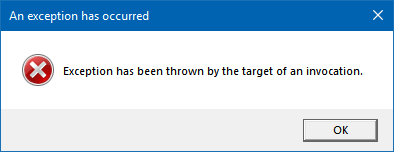
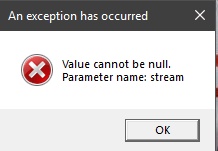
1 question im getting 1 error iv just instal the emo tracker for the first time and im getting an error saying this 😶
Avatar
EmoSaru 2018-09-01 17:39
That is a windows level exception, before the app is even doing anything. (edited)
17:40
What version of Windows are you using?
Avatar
Liam_926 2018-09-02 03:05
This is just a general question; is there any way to get the randomizer to save the items youve collected? Or do you just have to manually reselect them everytime? Its not an issue i was just wondering whether i was missing an option
Avatar
EmoSaru 2018-09-02 03:06
Save/Load is not available yet.
03:06
It's coming in a future update.
03:06
Also, #faq
Avatar
Liam_926 2018-09-02 03:06
Ahh okay thats fine; i was just wondering whether i was being blind :D, and ahh i had a look but didnt see it, was me being blind 😛
Avatar
melink14 2018-09-02 15:45
Didn't see this in #faq but are there any plans to say which item(s) are needed for a given red/yellow location?
👌 1
Avatar
Natalie 2018-09-02 15:54
That's part of the learning process for the game you choose to play. I can see the ability to view in-tracker the logic governing a location happening as a learning aid, but certainly not soon.
Avatar
melink14 2018-09-02 15:56
Definitely, something that would be less useful as you got used to a randomizer.
15:56
It's not too hard to ask in the appropriate discord
Avatar
Natalie 2018-09-02 15:57
I know OoTR provides a Logic Compendium for its players, recently updated for the dev branch
15:58
which covers every location and all possible in-logic access rules
Avatar
EmoSaru 2018-09-02 15:59
That feature starts to verge on cheating
15:59
In races
15:59
Map trackers are already in a gray-ish area, IMO
15:59
so it won't be added unless something changes in the communities
Avatar
melink14 2018-09-02 17:26
I'm actually surprised map trackers are allowed in races
Avatar
dotzo 2018-09-02 17:32
the reason they're still generally allowed, i think, is that they don't make you play better, and might actually be a hinderance. you're actively looking over at something other than the game, looking at what someone else as programmed you can do, usually only following the logic of the randomizer. being a truely good racer means you've memorized the game, have good movement, and moreover know what you can do even outside of logic. it's not the same as an autotracker which is a straight up advantage since you don't have to think about it mechanically, and it just doing what other players are having to do manually for you
17:33
a bit off topic, so we'll probably have to move further discussion, just wanted to put in my 2 cents here
Avatar
EmoSaru 2018-09-02 17:34
This would ideally be in #general, but given how it started and that it's definitely relevant to the tracker, it's fine.
17:35
Regardless, right now, EmoTracker is as close to "thinking for you" as I'm comfortable making it.
17:35
There are LOTS of things I could do automatically, but I'm not going to.
Avatar
Yalkin 2018-09-02 17:36
Do you plan on adding a save and load feature?
Avatar
EmoSaru 2018-09-02 17:36
#faq, near the bottom
Avatar
Yalkin 2018-09-02 17:37
Ok, sorry
Avatar
Doctour 2018-09-04 21:25
I saw someone posted the same problem here before but they never responded but I have the same issue. https://i.imgur.com/O47rH4E.png
21:26
I'm on windows 10 version 1803
Avatar
Clifford 2018-09-04 21:27
windows cast counterspell
Avatar
EmoSaru 2018-09-04 23:26
Is that occurring in the tracker, or when running the installer?
Avatar
Doctour 2018-09-04 23:28
it happens when I try to run the tracker
Avatar
EmoSaru 2018-09-04 23:28
like, on startup?
Avatar
Doctour 2018-09-04 23:28
yeah
Avatar
EmoSaru 2018-09-04 23:28
have you ever run it successfully?
Avatar
Doctour 2018-09-04 23:28
No. I just tried installing it today
Avatar
EmoSaru 2018-09-04 23:29
Hmmm
23:29
Just double checking - 64 or 32 bit windows?
Avatar
Doctour 2018-09-04 23:29
64 bit
Avatar
EmoSaru 2018-09-04 23:29
k
23:30
I will double check that exception message later, but I think that's a native invocation failiny
23:30
which is concerning
23:30
because it's probably not my code doing it
Avatar
Doctour 2018-09-04 23:40
I just tried installing it on my laptop and it works fine on it. My laptop on windows 10 version 1709 so maybe its because of that?
Avatar
MikeTrethewey | Axiom Verge 2018-09-05 00:18
For the record, I'm on Win10 build 1803.
Avatar
Natalie 2018-09-05 11:13
Getting some reports in another Discord about a "tracker update released yesterday" that's breaking certain Ocarina of Time trackers. I can't seem to work any details out of the complainants, though, other than that it has to do with the closed/open state of the forest in affected packs.
Avatar
EmoSaru 2018-09-05 11:44
@Doctour I'm going to send you a STRICTLY FOR TESTING version of EmoTracker to run sometime tonight. Hopefully it will provide us some additional information on the source of the problem.
Avatar
Doctour 2018-09-05 12:40
Alright, thanks, hopefully we can find the problem easily with it
Avatar
EmoSaru 2018-09-05 21:36
Just as a heads up, we've at least figured out what Doctour's issue is, to a certain extent. For whatever reason, their Temporary Internet Files directory has gotten misconfigured somehow, and it's causing problems with the standard background image loader. I have a workaround for this, which I will ship with the next version, but it's not the type of thing I feel comfortable pushing out quickly, especially since I have other changes mixed in. If you are experiencing this issue, and are particularly savvy, you MIGHT (unconfirmed) be able to fix yourself by following the steps here: https://community.spiceworks.com/topic/1967956-missing-ie-10-11-temporary-folder-location
Hi all,Short story (long story at the bottom):I did a mistake in GPO IE 10 preference item - I left the folder location for temporary internet folder enabled AND empty!is it pos...
Avatar
EmoSaru 2018-09-05 21:48
Okay, that fix is confirmed working for Doctour. I'm still going to deploy my workaround in the next version, because Microsoft is stupid.
Avatar
GrimYael 2018-09-07 18:00
question is there a way to save the chest that you have taken and/or load them using emotracker?
Avatar
EmoSaru 2018-09-07 18:01
#faq
Avatar
DoctorNny 2018-09-11 00:33
Can you save the tracker to reset pc without losing all progress?
00:35
Nevermind, just saw you can't... Need to find another :/
Avatar
Natalie 2018-09-11 00:35
Maybe... not restart the computer? 🤔 You can sleep or hibernate to maintain progress between gaming sessions
Avatar
JRJathome 2018-09-11 00:35
The feature is coming soon.
Avatar
Natalie 2018-09-11 00:36
Most trackers don't have save/load.
Avatar
EmoSaru 2018-09-11 00:37
The feature is coming, barring a major catastrophe on my end, this weekend.
00:38
That said, pretty much no other trackers actually support it. If they all did, I would've implemented it earlier.
Avatar
Natalie 2018-09-11 00:39
Literally the only example I've heard of so far has been a web-based Wind Waker tracker... which should tell you something in itself, considering the play length of Wind Waker, even when cut down massively by the randomizer.
Avatar
EmoSaru 2018-09-11 00:42
I heard that one of the Z1 trackers saves/loads
00:42
but yeah, that's about it
00:43
Regardless, the feature is about 75% done on my machine
Avatar
Zoph 2018-09-11 11:09
Hellow o/ I'm trying to customize a pack (the json part is totally ok) but i did not found any data on the faq (i can be blind) of how replace pictures ? My 1st guess was creating a images folder in the override folder that contains pictures but it did not work X3 is that possible in the override folder ?
Avatar
JRJathome 2018-09-11 11:12
Your first guess is correct. As long as the path and file name are the same, the tracker will load your override images instead of the default ones. You can see the path names in the items.json.
Avatar
Zoph 2018-09-11 11:13
ow, did i missed the picture filename 😮
11:19
i'm missing something... Am i stupid? (to the left the override folder and to the right the beginning of items.json, i'm trying to replace the 0000.png, which is the bow picture, by the butter sword picture i picked in the original folder)
Avatar
JRJathome 2018-09-11 11:22
Odd... That should be correct.
Avatar
Zoph 2018-09-11 11:24
i tried to restart the tracker completly, still not working. I'm sure i'm missing something completly stupid
11:24
do i need to enable the picture overide somewhere in a json file ?
Avatar
EmoSaru 2018-09-11 11:25
no, you don't
11:25
can you post the directory structure ABOVE that folder?
Avatar
Zoph 2018-09-11 11:25
yup
11:26
Avatar
EmoSaru 2018-09-11 11:27
you've done shenanigans in your packs folder (edited)
11:28
why is there a rar, a weird other zip, and an unzipped folder of the pack?
Avatar
Zoph 2018-09-11 11:29
some tests X3 (the unzipped is for picking pictures, and there is a backup from the zip file cause i tried do change something, then zip it again) i'll remove that \o/
Avatar
EmoSaru 2018-09-11 11:29
remove all of those things - you can move the folder somewhere else for reference
11:30
then redownload the pack from the package manager
11:30
then try again
11:30
FYI, the need to unzip packs to get that stuff is going away in the next version
Avatar
Zoph 2018-09-11 11:30
Already done, the current rar is the original one
Avatar
EmoSaru 2018-09-11 11:30
The tracker does not support rar
Avatar
Zoph 2018-09-11 11:30
zip*
Avatar
EmoSaru 2018-09-11 11:31
okay
11:32
your issue with the bow
11:32
is probably due to the fact that the image you're changing is not what's actually on your tracker
11:32
there are 3 relevant items
11:32
bow, silvers, and a composite toggle that merges them into one item
11:32
you are editing the bow
11:33
but if you're using the default layout, the composite toggle is being shown
11:33
and it uses different images for the combo\
11:33
If you were to open an item capture spot, which shows the bow item directly
11:33
I suspect you would see your change
11:34
also, if all you're doing is changing images, I recommend deleting the json files from your pack override directory
Avatar
Zoph 2018-09-11 11:34
I'm also doing layout edition ^^
11:34
For the moment, i'm just playing with the overides to learn exactly how it works
Avatar
EmoSaru 2018-09-11 11:35
ok
Avatar
Zoph 2018-09-11 11:35
then i'll probably try to make my own ^^
Avatar
EmoSaru 2018-09-11 11:35
first of all, I just realized - this should've been in #customization-support.. Just a note for the future
11:35
second of all, can you confirm whether your image override did affect the capture item view?
Avatar
Zoph 2018-09-11 11:35
ow, sorry
11:38
when u talk about the capture item view, i suppose it's the F2 feature ?
Avatar
EmoSaru 2018-09-11 11:38
no
11:38
open the library
11:38
and click on the square where you can capture the item that's on the shelf
Avatar
Zoph 2018-09-11 11:38
oww yes!
Avatar
EmoSaru 2018-09-11 11:38
image override visible there?
Avatar
Zoph 2018-09-11 11:39
Yup
Avatar
EmoSaru 2018-09-11 11:39
👍
11:39
so yeah, always make sure you're actually changing the image you're looking at 😃
Avatar
Zoph 2018-09-11 11:39
I also tried with a non combo item
11:39
thanks for the help ^^
Avatar
EmoSaru 2018-09-11 11:39
np
11:39
now, a word of warning
11:39
my existing packs are going to be deprecated this weekend
11:40
and replaced with a single pack that contains all the modes
11:40
this will require people to remake overrides
11:40
the process will be pretty quick and painless (edited)
11:40
and I'll provide notes on how to do it
Avatar
Zoph 2018-09-11 11:40
i'll wait the update. i'm gonna do some pixel art before 😃
Avatar
EmoSaru 2018-09-11 11:41
Also, as part of the features of that change
Avatar
Zoph 2018-09-11 11:41
(i'll try, at least Kappa)
Avatar
EmoSaru 2018-09-11 11:41
the export override feature is completely rewritten
11:41
and it's now a dialog that allows you to pick whatever you want to override, for the entire pack
11:41
it looks (more or less) like this
11:41
11:41
Should make it much easier for people trying to override images
Avatar
Zoph 2018-09-11 11:42
It's a pretty cool feature 😃
Avatar
The Hiiro 2018-09-11 12:30
Using the EmoTracker 2.0, how do I save what progress ive made? Dont wanna have to manually set the tracker and what items ive gotten and where ive been each time. (ww randomizer if it means anything)
Avatar
DoctorNny 2018-09-11 12:30
Cant.
Avatar
The Hiiro 2018-09-11 12:31
that is literally hell
12:31
why is that not a thing >.>
12:31
who designed this xd
Avatar
DoctorNny 2018-09-11 12:31
Asked eariler today cuz I wanted to save and restart my PC.. no can do.
12:31
They said saving shoul dbe in at end of week, however.
Avatar
The Hiiro 2018-09-11 12:31
i hope
12:31
because seriously that is like the one thing it needs to be a half decent tracker
12:32
cant expect ppl to play the whole game in one sitting >.>
Avatar
DoctorNny 2018-09-11 12:32
I was told: "Maybe... not restart the computer? 🤔 You can sleep or hibernate to maintain progress between gaming sessions"
Avatar
JRJathome 2018-09-11 12:32
The tracker was originally made with A Link to the Past in mind, which usually takes no more than 3 hours. It's being added now, so I don't understand the complaints.
Avatar
EmoSaru 2018-09-11 12:34
Hi everybody.
12:34
There are lots of trackers in the world.
12:34
TWO of them support save/load.
12:34
Later this week, it will be THREE.
12:34
It is not a standard feature.
Avatar
The Hiiro 2018-09-11 12:34
Kinda is ^
12:34
/should be
Avatar
EmoSaru 2018-09-11 12:34
Let me make a general statement.
12:34
Asking for things is fine.
Avatar
Ninban 2018-09-11 12:34
That's an opinion 👀
Avatar
EmoSaru 2018-09-11 12:34
Suggesting things is fine.
Avatar
jcaraker 2018-09-11 12:34
Demanding things is a dick move.
Avatar
DoctorNny 2018-09-11 12:35
This is clearly the best, GUI, however Sadly couldnt find any others that did, so i just quit playing Zootr til I can save.
Avatar
kingofspaed 2018-09-11 12:35
IMO, the save feature will be well appreciated when the pack will update. But I don't think that having to take 5 mins to check your inventory to see which item you have is much of a hassle
Avatar
EmoSaru 2018-09-11 12:35
Being shitty to me about the state of my tracker, which BTW supports a lot more than any other tracker out there, is a bad idea.
Avatar
The Hiiro 2018-09-11 12:35
I'm not demanding, nor am I downing the tracker, its by far the best
Avatar
DoctorNny 2018-09-11 12:35
Its not about wqhich ITems you have ACe, its about which chests youve opened.
Avatar
EmoSaru 2018-09-11 12:35
Scratigan1 Today at 12:31 PM that is literally hell why is that not a thing >.> who designed this xd
12:36
I don't care how many stupid emoji you put after the statement.
Avatar
The Hiiro 2018-09-11 12:36
If you'll let me finish
Avatar
EmoSaru 2018-09-11 12:36
Excuse me
Avatar
The Hiiro 2018-09-11 12:36
you know what im not even going to
12:36
I appologise if I sounded rude but I assure you I did not intend to
Avatar
EmoSaru 2018-09-11 12:37
Apology accepted.
Avatar
The Hiiro 2018-09-11 12:37
Just thought it was missing something
Avatar
EmoSaru 2018-09-11 12:37
1) There is a #suggestions forum
12:37
2) There is a #faq that contained the info you were looking for
12:37
3) In the future, please try to phrase things constructively.
Avatar
Lechtansi 2018-09-11 15:18
hey team, quick question about broadcast view and OBS. I'm trying to stream for the first time, and I have broadcast view open, and i'm telling OBS to only look at that window. However, it gets really confused and will show my regular map tracker in its place when i click on the map. does anyone know about this?
Avatar
EmoSaru 2018-09-11 15:27
1) Make sure you're using window capture
15:27
2) Make sure you've selected the broadcast view
15:27
3) Make sure it's set to match exe name and window title
Avatar
Xeanix 2018-09-11 15:41
Im trying to figure it out by my self.. even using search to find help. But i can't. Im new at this. I run my game, OBS is running i have broadcast view in windows capture... But i know there is something i do wrong because even if i get the item like a sword nothing change on the tracker... do i need to do it by hand? is it not suppose to it by it self? And sorry if my english is not very good i speak french and im lost right now. lol
Avatar
EmoSaru 2018-09-11 15:49
The tracker does not auto update when you get items. You have to click them.
Avatar
Xeanix 2018-09-11 15:51
ah it make sence now loll... i feel so stupid.. it's just a see so many streamer doing speedrun and they have there tracker... i dont think they take the time to click what they got
Avatar
Steadfast Spaghetti Steward 2018-09-11 15:51
if you watch closely at people streaming randomizers, they always click the item right as they get it. Some people are just good at making it seem seamless
Avatar
EmoSaru 2018-09-11 15:51
There's definitely a skill to it - you get good at tracking things during e.g. door transitions
Avatar
Steadfast Spaghetti Steward 2018-09-11 15:51
Its funny when they forget to click an item too
Avatar
Xeanix 2018-09-11 15:52
ok so you are saying that i pass about an hour trying to figure it out for nothing loll
Avatar
Steadfast Spaghetti Steward 2018-09-11 15:52
lol , i think it is doable to be auto updated. but isnt it frowned upon in tournaments or something?
15:53
I think most devs dont include it either due to over complicaiton or just i mean...who really cares?
Avatar
Xeanix 2018-09-11 15:53
i dont know.. still really new in this... can't stop watching video on youtube and twitch and i started to play my self
Avatar
Steadfast Spaghetti Steward 2018-09-11 15:54
Ive been new to this for about 2 weks and have figured out a lot, ask if you have more questions
Avatar
Xeanix 2018-09-11 15:54
thank i read a lot with the searching i did today
Avatar
Steadfast Spaghetti Steward 2018-09-11 15:54
What i wanna know is how people change the music
15:55
Ive seem some streams where the music is cd quality
15:55
maybe Bsnes or something not sure
Avatar
Xeanix 2018-09-11 15:55
but i just wanted to have the tracker on my stream working
Avatar
Steadfast Spaghetti Steward 2018-09-11 15:55
Meatboy=best avatar
Avatar
Xeanix 2018-09-11 15:56
Andy tried gameboy music was nice too
15:56
like snes lttp music change in gameboy
Avatar
Steadfast Spaghetti Steward 2018-09-11 15:57
Yea i love the Cd quality he was doing a few times
Avatar
Xeanix 2018-09-11 15:58
ok so i need a slave to click my item while im streaming... thats great to know. thank for the help i will be able to stream tonight 😛
Avatar
Steadfast Spaghetti Steward 2018-09-11 15:58
Just hide it on your private screen and show the broadcast view to your audience, they will never know
Avatar
Xeanix 2018-09-11 15:59
ok the magic of broadcast
Avatar
Steadfast Spaghetti Steward 2018-09-11 15:59
I still need to figure out streaming myself lol
Avatar
Xeanix 2018-09-11 15:59
im still learning too
Avatar
Steadfast Spaghetti Steward 2018-09-11 15:59
Overlays, Animations, sub boxes, emotes, its so overwhelming
Avatar
Xeanix 2018-09-11 16:00
yeah
Avatar
fylion 2018-09-11 16:00
#off-topic for this, please.
Avatar
Xeanix 2018-09-11 16:00
sorry
👍 1
Avatar
Steadfast Spaghetti Steward 2018-09-11 16:00
Sorry, random convos
Avatar
MikeTrethewey | Axiom Verge 2018-09-11 16:00
The “general” in #general-support is intended to be regarding the main application.
Avatar
Steadfast Spaghetti Steward 2018-09-11 16:01
We already apologized bro we get it
Avatar
MikeTrethewey | Axiom Verge 2018-09-11 16:01
Just attempting to clarify.
Avatar
EmoSaru 2018-09-11 16:05
Just to tie up one loose end in here - auto-tracking is illegal in races, not just frowned upon. It's also not doable on all platforms/emulators that e.g. LTTPR is supported on.
16:05
If those things ever change, along with the community standards around such things, then I'll implement it.
👍 4
Avatar
Battle00333 2018-09-12 06:13
so, a question to that, why is it that autotracking is banned in races?
Avatar
Ninban 2018-09-12 06:35
Because those who play on console can't do it
06:36
It also requires reading the SRAM but they obfuscated stuff which makes it even harder than before
Avatar
EmoSaru 2018-09-12 10:48
SRAM trace is dying entirely
10:48
And we CAN do it on console
10:48
But only on SD2SNES
10:49
With semi-experimental firmware
Avatar
daman4567 2018-09-12 12:33
On the open mode package where's the option to show all locations regardless of items?
12:34
and how do you uncheck a location you've accidentally checked off when it disappears
Avatar
SauceRelic 2018-09-12 12:34
F11 will show all locations no matter what pack you're using
Avatar
daman4567 2018-09-12 12:35
ok, I knew there was a way to do it
12:35
how do you uncheck off a chest/location?
12:35
oh, i got it
12:35
gotta pin it
12:36
i also found how to do it without pinning
Avatar
fylion 2018-09-12 12:36
You might want to check out #faq for some help on some of this. (edited)
Avatar
daman4567 2018-09-12 15:18
I checked the faq and I didn't see anything on this: is there a way to force the app to open at a specific window size, through a shortcut with command line arguments or anything?
Avatar
fylion 2018-09-12 15:19
heh, nope.
Avatar
daman4567 2018-09-12 15:23
bummer, would be a nice feature to have
Avatar
LostThePirate 2018-09-12 15:35
There is the Broadcast View, which is a fixed size for window capturing in streaming, but the main interface of the tracker adjusts based on screen size and whatnot.
Avatar
Battle00333 2018-09-12 15:35
emotracker always opens the same size as i last had it on, for me
Avatar
LostThePirate 2018-09-12 15:38
Mine default opens taller than my monitor resolution can accommodate, so I have to resize on opening every time, too.
Avatar
EmoSaru 2018-09-12 15:59
It opens at the same size every time
16:00
Believe it or not dealing with window transforms is a giant pain in the ass
16:00
Largely because of how windows handles multi monitor arrangements when things change
16:00
It’s something I’m aware of, and I agree it would e nice to improve
16:00
At least giving you guys a setting or something so you can do something manual
Avatar
Darkwolf 2018-09-13 15:08
Hello, I have updated to 2.1 and then installed the new pack for LTTP. but .... i cant choose old ones to remove it from my tracker; How can I do please ?
Avatar
EmoSaru 2018-09-13 15:08
Go to Documents/EmoTracker/packs and delete the old ones
15:08
I try to avoid having rhe tracker automatically delete anything off your disk, because it's a recipe for disaster
Avatar
Darkwolf 2018-09-13 15:09
Thanks ! I tried to desintall/reinstall tracker without result ! Really thanks for the new update
Avatar
Cadenza 2018-09-13 16:46
Hi! I'm trying the thing to have a smaller window on opening, but it doesn't work. Can someone tell me what I'm doing wrong? I've opened application_setting.json with wordpad and added the lines, then tried to put smaller numbers, but it stays the same size
Avatar
EmoSaru 2018-09-13 16:47
Have you installed the latest tracker update?
Avatar
Cadenza 2018-09-13 16:47
yes 😃
16:47
well, supposed to. 2.1.0.0?
Avatar
EmoSaru 2018-09-13 16:47
yes, that's correct
16:47
can you DM me your settings json?
Avatar
Cadenza 2018-09-13 16:48
{ "always_on_top": false, "last_active_package": "alttprando_v27_openmode_emosaru", "package_repositories": [] "initial_width": 800.0, "initial_height": 600.0, }
Avatar
EmoSaru 2018-09-13 16:48
you need to add a comma after the package repositories line
16:48
and remove the comma after 600.0
16:48
since you added it at the end
Avatar
Cadenza 2018-09-13 16:49
ah! Ok thanks. I know nothing about coding ^^
Avatar
EmoSaru 2018-09-13 16:49
once you make those changes, restart the tracker and it should take effect (edited)
Avatar
Cadenza 2018-09-13 16:50
thanks, it works. I'll go try some numbers now! 😃
Avatar
Ribbedkilla 2018-09-13 20:34
Hi! I cant seem to get the save/load feature to work. I made some changes and saved to the default location. Then relaunched the tracker with the same package active and tried loading the file. Keep getting a failed to load error. Is there something I am missing?
Avatar
EmoSaru 2018-09-13 20:37
what pack are you using?
Avatar
Ribbedkilla 2018-09-13 20:38
OOT Rando - Key Items only from JRJathome
Avatar
EmoSaru 2018-09-13 20:39
Items Only - Keysanity?
20:40
I've reproduced the error, let me check into what's up.
Avatar
Ribbedkilla 2018-09-13 20:40
cool thanks
20:40
and it was just items only
20:40
not keysanity
Avatar
EmoSaru 2018-09-13 20:40
I suspect it's the same issue either way
Avatar
Ribbedkilla 2018-09-13 20:41
yeah most likley
20:41
Thanks for looking into it!
Avatar
EmoSaru 2018-09-13 20:42
okay, I'm an idiot
Avatar
Ribbedkilla 2018-09-13 20:42
lol
Avatar
EmoSaru 2018-09-13 20:42
this is my fault, but there will be an update later to fix it
Avatar
Ribbedkilla 2018-09-13 20:42
no worries
20:42
😃
20:42
just glad it was caught
Avatar
Natalie 2018-09-13 20:42
I'm not so sure sleep deprivation has a Ballmer peak.
Avatar
EmoSaru 2018-09-13 20:43
it's most likely an issue with all items only packs, just FYI
Avatar
Ribbedkilla 2018-09-13 20:43
ah i see
20:44
yeah happened in the FF4 rando as well
Avatar
EmoSaru 2018-09-13 20:45
this is bad enough that I'm going to rush the update out
20:45
it's a 1 line fix
20:45
but a pretty broken thing
Avatar
Ribbedkilla 2018-09-13 20:45
well at least it seems like a simple fix
20:46
kinda like missing a semicolon in a java program...just me? ok
Avatar
Merc249 2018-09-13 20:46
Semicolons are the worst (Matlab user here)
Avatar
EmoSaru 2018-09-13 20:51
Update has been pushed - your existing save file will work
Avatar
Ribbedkilla 2018-09-13 20:51
hazza!
20:51
thanks for the quick fix!
Avatar
EmoSaru 2018-09-13 20:52
np - thanks for reporting it! I try to test most things, but there are lots of packs, and things get tweaked sometimes before release
Avatar
Ribbedkilla 2018-09-13 20:52
yeah with the amount of packs pushed out im sure its tough to keep up.
20:52
you are only one person!
20:52
haha
20:52
thanks again!
Avatar
ChristosOwen 2018-09-14 07:14
I'm a noob, how do I edit the layout of a tracker again?
07:14
I haven't looked at it in many months
07:14
WAIT let me check the FAQ
christosEyes 1
Avatar
ChristosOwen 2018-09-14 07:38
ok I can almost customize this how I want now
07:39
what I'm having trouble with is
07:39
07:39
this is the result I want
07:39
the text can be clicked through each dungeon name
07:40
starts as ????, DEKU, DCVN, JABU etc
07:40
but I can't see how to do that
Avatar
dotzo 2018-09-14 07:44
You'd have to create a new progressive item, i believe
Avatar
ChristosOwen 2018-09-14 07:45
how would I do that?
07:45
I've seen someone else with that functionality (edited)
07:46
but no idea how they did it
Avatar
dotzo 2018-09-14 07:46
export the items override and you can dig through that JSON for a similar item, probably adult trade would work well. copy that code off, and edit it
07:46
you'll need to change the name of it, all the images to the labels, and then redo the tracker layout to use that item instead of the status labels themselves
07:47
having a ???? would require a new image, though
Avatar
ChristosOwen 2018-09-14 07:49
hmmm
07:49
where do I find the JSON code for items?
07:50
I'm scrolling through the export overrides list
07:50
mostly it's images
07:50
I've already exported the broadcast layout so I can edit that later
Avatar
dotzo 2018-09-14 07:52
search for items:
Avatar
ChristosOwen 2018-09-14 07:54
thanks, I'll try digging through this
Avatar
ChristosOwen 2018-09-14 08:04
ok I think I've created the item
08:04
how do I actually put it into the tracker?
08:04
[ // Dungeon Names { "name": "Dungeon Names", "type": "progressive", "stages": [ { "img": "images/unknown-small.png", "codes": "unknown" }, { "img": "images/deku.png", "codes": "deku,dekutree" }, { "img": "images/dodongo.png", "codes": "dodongo,dc,dcvn,dodongoscavern" }, { "img": "images/jabu.png", "codes": "jabu,jabujabu" }, { "img": "images/forest.png", "codes": "forest,frst,foresttemple,frsttemple" }, { "img": "images/fire.png", "codes": "fire,firetemple" }, { "img": "images/water.png", "codes": "water,watr,watertemple,watrtemple" }, { "img": "images/shadow.png", "codes": "shadow,shdw,shadowtemple,shdwtemple" }, { "img": "images/spirit.png", "codes": "spirit,sprt,spirittemple,sprttemple" }, ]
08:05
that's the code
08:08
(was missing a comma so it broke, but fixed)
08:08
just unsure how to actually select this in the tracker
Avatar
dotzo 2018-09-14 08:08
missing a brace and a bracket at the bottom (probably just didn't copy/paste it). so now go back into the tracker layout and replace where the labels are with this
08:09
... and thinking about it, this wouldn't actually work, you'd need 8 copies of this with different names since it updates all instances of the same named item at the same time
Avatar
ChristosOwen 2018-09-14 08:09
ah true, wouldn't I just need 6 though, one for each medallion?
Avatar
dotzo 2018-09-14 08:09
oh, i figred you'd be doing stones as well
Avatar
ChristosOwen 2018-09-14 08:10
nah not worrying about those, just want to determine the medallions
Avatar
dotzo 2018-09-14 08:10
then yea, just 6
Avatar
ChristosOwen 2018-09-14 08:10
so now go back into the tracker layout and replace where the labels are with this
08:11
I'm probably being dense but could you elaborate a bit?
08:11
into the broadcast layout notepad file?
08:11
(thanks a lot for the help btw)
Avatar
dotzo 2018-09-14 08:12
tracker_layout.json or w/e it'll have where you're doing the medallions and labels something like jabu-label (idk how they're named), just need to replace that with this new item
08:13
the layouts are just big grids of items
Avatar
Hamsda 2018-09-14 08:14
you need one common tag for them that you can use in the tracker
08:15
example of how the prizes are done in my pack:
{ "name": "Shadow Prize", "type": "progressive_toggle", "loop": true, "stages": [ { "img": "images/unknown-small.png", "codes": "shadow" }, { "img": "images/stones.png", "codes": "shadow,stones", "inherit_codes": false }, { "img": "images/forestmedallion.png", "codes": "shadow,forestmed", "inherit_codes": false }, { "img": "images/nocturne_medallions.png", "codes": "shadow,noct_meds", "inherit_codes": false }, { "img": "images/lacs_medallions.png", "codes": "shadow,lacs_meds", "inherit_codes": false }, { "img": "images/lightmedallion.png", "codes": "shadow,lightmed", "inherit_codes": false } ] },
Avatar
ChristosOwen 2018-09-14 08:15
ah ok I had only exported the broadcast layout so far, so I'll export the tracker layout now too
Avatar
Hamsda 2018-09-14 08:15
you'll see they all have the shadow code, so you put that one into the tracker layout
Avatar
ChristosOwen 2018-09-14 08:16
eh I'm pretty lost now
08:16
think I need a food and tea break
08:17
I'm not at all code-savvy
Avatar
Raikaru 2018-09-14 08:17
oh, this looks familiar rays3c
Avatar
ChristosOwen 2018-09-14 08:17
it's probably simple I'm sure!
Avatar
Raikaru 2018-09-14 08:18
i'm not sure if theres a better way to do it than i did, since i've learned what i have based off other packs. i really need to stop being a ball of anxiety and get it uploaded raysA (edited)
Avatar
Hamsda 2018-09-14 08:19
just do it!
Avatar
ChristosOwen 2018-09-14 08:20
idk how you all do code
08:20
I've been at this for like 45 mins and now I'm so totally frustrated
Avatar
fylion 2018-09-14 08:20
That's how.
Avatar
Raikaru 2018-09-14 08:20
look at other packs, start mashing code together till it works and attempt to keep it looking nice and orderly
Avatar
ChristosOwen 2018-09-14 08:20
but I'm sleep deprived too so that definitely isn't helping kelpCozy
Avatar
Raikaru 2018-09-14 08:20
although when you are working with a start from someone else's work it can be frustrating keeping things in order.
Avatar
Hamsda 2018-09-14 08:21
coding is just a certain mindset you gotta have :) but I think you pretty much had it, let me edit your code
christosEyes 1
Avatar
ChristosOwen 2018-09-14 08:22
I definitely need some food though, I'm more hangry than anything
08:22
I'll be back shortly
Avatar
Hamsda 2018-09-14 08:23
they should look something like this:
// Dungeon Names { "name": "Forest Med Dungeon", "type": "progressive", "stages": [ { "img": "images/unknown-small.png", "codes": "forestmed,unknown" }, { "img": "images/deku.png", "codes": "forestmed,deku,dekutree", "inherit_codes": false }, { "img": "images/dodongo.png", "codes": "forestmed,dodongo,dc,dcvn,dodongoscavern", "inherit_codes": false }, { "img": "images/jabu.png", "codes": "forestmed,jabu,jabujabu", "inherit_codes": false }, { "img": "images/forest.png", "codes": "forestmed,forest,frst,foresttemple,frsttemple", "inherit_codes": false }, { "img": "images/fire.png", "codes": "forestmed,fire,firetemple", "inherit_codes": false }, { "img": "images/water.png", "codes": "forestmed,water,watr,watertemple,watrtemple", "inherit_codes": false }, { "img": "images/shadow.png", "codes": "forestmed,shadow,shdw,shadowtemple,shdwtemple", "inherit_codes": false }, { "img": "images/spirit.png", "codes": "forestmed,spirit,sprt,spirittemple,sprttemple", "inherit_codes": false } ] }
08:23
this way you can add forestmed in the tracker json
08:23
and as dotzo said, you'd need to copy and paste this for all 6 meds
08:23
and replace forestmed with the others
Avatar
ChristosOwen 2018-09-14 08:24
right, ok I think I understand
08:24
I'll have a go once I get back from a very late lunch
08:24
thank you!
08:24
I should add a loop too
08:25
I was assuming the "codes" related to chathud commands
08:25
but I see that was a terrible assumption
Avatar
Raikaru 2018-09-14 08:25
that and placing them in the layout
08:26
whoops
Avatar
Hamsda 2018-09-14 08:27
well they are for both
08:27
they are used to reference the items in the tracker but also for the chat commands
08:28
so you could toggle that one with either forestmed always, or say deku if it is set to deku
08:28
uh nvm, this isnt a toggle 😛
08:29
so yeah, you could probably cut the codes down to just forestmed and let them inherit
Avatar
Raikaru 2018-09-14 08:31
so i tried tackling this kinda the same way before, but it made chathud kinda awful to work with and not make sense. so instead with a little guidance the decision was to merge the labels with medals
08:31
end result was
08:31
// Label Base { "name": "SHDW Medal Label", "type": "progressive_toggle", "loop": true, "allow_disabled": false, "stages": [ { "img": "images/shadow_unknown.png", "codes": "shadow", "secondary_codes": "???", }, { "img": "images/shadow_Deku.png", "codes": "shadow", "secondary_codes": "deku", }, { "img": "images/shadow_Dodongo.png", "codes": "shadow", "secondary_codes": "dodongo", }, { "img": "images/shadow_Jabu.png", "codes": "shadow", "secondary_codes": "Jabu", }, { "img": "images/shadow_Forest.png", "codes": "shadow", "secondary_codes": "Forest", }, { "img": "images/shadow_Fire.png", "codes": "shadow", "secondary_codes": "Fire", }, { "img": "images/shadow_Water.png", "codes": "shadow", "secondary_codes": "Water", }, { "img": "images/shadow_Spirit.png", "codes": "shadow", "secondary_codes": "Spirit", }, { "img": "images/shadow_Shadow.png", "codes": "shadow", "secondary_codes": "Shadow", }, { "img": "images/shadow_Free.png", "codes": "shadow", "secondary_codes": "Free" }, ] },
08:33
this required me making new images at the time though >_>
Avatar
Hamsda 2018-09-14 08:37
yeah could likely just make those with canvases now
Avatar
Raikaru 2018-09-14 08:37
pieS something new to learn yet again
08:37
i've spent so many hours learning what i have just to make this mess of a pack work lol
08:38
also to make some interesting ideas/layouts for buds
08:39
any examples of canvases in any packs?
Avatar
dotzo 2018-09-14 08:41
jrj's
Avatar
Raikaru 2018-09-14 08:41
everything leads back to jr pieS
Avatar
dotzo 2018-09-14 08:41
they're pretty easy to work with. they're basically just mini-layouts
08:42
yea lol
Avatar
Raikaru 2018-09-14 08:43
my very first custom layout was just JR's but shifted, and added keys. which i'm embarrassed is still out there and being used >_> its not that good.
Avatar
dotzo 2018-09-14 08:44
yea i poached his to add images and change the layout lol
Avatar
Hamsda 2018-09-14 08:49
yeah got some in mine as well, we use pretty simple ones
08:49
some more advanced uses would be in the SM packs i believe
08:49
making the boss statue with a canvas
08:50
simple canvas example:
{ "type": "canvas", "width": 32, "height": 32, "margin": "1,2", "content": [ { "type": "item", "item": "forest_label", "hit_test_visible": false, "canvas_depth": 0, "width": 32, "height": 12 }, { "type": "item", "item": "forest_small_keys", "canvas_depth": 1, "canvas_left": 0, "canvas_top": 16, "width": 16, "height": 16 }, { "type": "item", "item": "forest_boss_key", "canvas_depth": 1, "canvas_left": 16, "canvas_top": 16, "width": 16, "height": 16 } ] },
08:51
basically putting the label and the keys into one 32x32 spot for keysanity
Avatar
Raikaru 2018-09-14 08:52
raysShock
08:53
the only thing is how to get chathud the way i'd want it :P since i could separate the labels from medallions again, but then i can't use codes the same way anymore
Avatar
dotzo 2018-09-14 08:54
i never could figure out what canvas-depthwas doing
Avatar
Dudude Dude 2018-09-14 08:54
It controls whether something gets drawn on top of or underneath another element if they overlap
Avatar
dotzo 2018-09-14 08:55
okay, that's what i figured. guess i just always made it so stuff doesn't overlap lol
Avatar
Hamsda 2018-09-14 08:55
its like z-axis
08:55
z-index i mean
Avatar
dotzo 2018-09-14 08:55
yea, would be good for a background on the canvas
08:56
which gives me a broadcast layout idea 🤔
Avatar
Hamsda 2018-09-14 08:56
I should go over my pack one of these days and make it solid for chat hud
08:56
haven't really had a look at that yet
Avatar
Raikaru 2018-09-14 08:56
its a complete chore
Avatar
Hamsda 2018-09-14 08:56
yeah I can imagine
08:56
right now the codes are just what works for me
Avatar
Raikaru 2018-09-14 08:57
the best part is, you think you covered everything, and one of the people you whitelist decides they want to use another thing that is just a little less common sense but enough sense that it needs to be added
Avatar
Hamsda 2018-09-14 08:58
well since I usually have 0 viewers if I stream, that won't be a problem LUL
Avatar
Raikaru 2018-09-14 08:59
pieBaited
09:00
just imagine what somebody not familiar to your codes would try and use raysShock
Avatar
Hamsda 2018-09-14 09:04
i'm not great at UX dev in my day job, so I'd rather not
Avatar
ChristosOwen 2018-09-14 09:45
ugh it's broken and I can't figure out why, is there a good way of trying to find a missing
,
or
]
etc?
09:50
nvm I was missing about 50 commas
Avatar
Ninban 2018-09-14 09:51
A JSON validator can help you https://jsonlint.com
JSONLint is the free online validator and reformatter tool for JSON, a lightweight data-interchange format.
09:51
It will tell you if it's valid and at which point it breaks
Avatar
ChristosOwen 2018-09-14 09:56
ok I just tried to add my new item into the tracker json
09:56
but can't quite work out where it goes
09:56
{ "type": "canvas", "width": 32, "height": 32, "margin": "2,5", "content": [ { "type": "item", "item": "ForestMedallion", "margin": "0", "canvas_depth": 0, "width": 32, "height": 12 },
09:56
this is what I added
09:56
anything look obviously wrong there? or am I likely just inserting it into the wrong place
Avatar
Hamsda 2018-09-14 09:59
I would highly recommend grabbing https://code.visualstudio.com/ for any kind of work like this (or even as your default text editor tbh) has json (+ others) linting built in and tons of extensions that make life much easier
Visual Studio Code is a code editor redefined and optimized for building and debugging modern web and cloud applications.  Visual Studio Code is free and available on your favorite platform - Linux, macOS, and Windows.
10:00
is ForestMedallion the code or item name? you still need to use codes in there
Avatar
ChristosOwen 2018-09-14 10:02
ah that was the item name, but the codes I had for it were forest, forestmed and forestmedallion
10:02
I just tried removing the capitalization but didn't seem to matter (edited)
10:02
so I think I've just put it in the wrong place
Avatar
Raikaru 2018-09-14 10:02
yea the codes are what you will be using for putting it into the layouts
Avatar
ChristosOwen 2018-09-14 10:03
is it an array or a canvas?
10:04
like I don't have a base understanding of what most of this all means, just trying to force this change in then never look at this again
Avatar
Raikaru 2018-09-14 10:05
i'm not the best person to explain, but its an itemgrid, the array will just position the items grids in relation to each other.
Avatar
ChristosOwen 2018-09-14 10:06
eh maybe I'll just bribe pay emo in baked beans to do it for me (edited)
Avatar
Raikaru 2018-09-14 10:06
i'd suggest referencing JRJ's and Ham's packs to see how they handle it
Avatar
ChristosOwen 2018-09-14 10:06
yeah I'm using JRJ's as a base
10:06
and just trying to add this new item into the existing code
10:06
but it immediately breaks
10:07
10:08
this is the correct file right?
10:08
this is the untouched one
Avatar
Raikaru 2018-09-14 10:09
yea, it threw me off its just called tracker now, but should be
10:09
try using a single code for your item thats completely unique and place that into the item grid instead of one of the already existing ones
10:09
see if it breaks
Avatar
ChristosOwen 2018-09-14 10:09
cool, I don't understand where I want to insert the new code though really that's the problem
10:10
i'll rename the codes to be single and unique
Avatar
Raikaru 2018-09-14 10:10
yea unless you are optimizing for chathud one code is all you need
Avatar
ChristosOwen 2018-09-14 10:15
I don't really understand though tbh
10:15
I don't see any code in tracker.json relating to what items are actually in the item grid
Avatar
Raikaru 2018-09-14 10:17
oh, that got moved apparently
Avatar
ChristosOwen 2018-09-14 10:17
so this is the base layout
Avatar
Raikaru 2018-09-14 10:17
to shared_layout
10:17
in the folder labeled 'layouts'
Avatar
ChristosOwen 2018-09-14 10:17
I don't need the righthand column or bottom row, which appears to be what I'm editing atm
Avatar
Hamsda 2018-09-14 10:18
yeah those are done with canvases (is that the plural of canvas?)
Avatar
ChristosOwen 2018-09-14 10:19
ok that works now
10:19
I was just editing the wrong file
10:19
derp
Avatar
Hamsda 2018-09-14 10:19
NotLikeThis
Avatar
ChristosOwen 2018-09-14 10:20
10:20
I'm trying to achieve this
10:20
which is atz's layout
10:20
but I'll just move some of the items around slightly
Avatar
Hamsda 2018-09-14 10:20
just ask atz 4Head
Avatar
ChristosOwen 2018-09-14 10:20
I did 😛
Avatar
Hamsda 2018-09-14 10:20
haha
Avatar
Raikaru 2018-09-14 10:20
pieBaited
Avatar
ChristosOwen 2018-09-14 10:20
I'm sure he'll get back to me
Avatar
Raikaru 2018-09-14 10:21
you might as well skip a step
Avatar
ChristosOwen 2018-09-14 10:21
I thought it would be a quick change
Avatar
Raikaru 2018-09-14 10:21
hi, i worked on that
Avatar
Hamsda 2018-09-14 10:21
but the songs and the meds gotta be lined up for the nice color match rooREE
Avatar
ChristosOwen 2018-09-14 10:22
I guess I need to decrease the vertical height of my new items
10:22
probably by half
10:23
so how would I remove the right column and bottom row of that layout anyway?
10:23
wait I can probably figure that out
10:23
I deleted everything in tracker.json and it broke
Avatar
Hamsda 2018-09-14 10:23
that depends entirely on how JRJ has his layout structured
Avatar
ChristosOwen 2018-09-14 10:24
but I should leave the shared item grid
Avatar
Hamsda 2018-09-14 10:24
usually it's done with arrays
10:24
as I said, I'd highly recommend VSCode, hitting shift+alt+f
10:24
and using the collapse feature to figure out what is a child of what 😛
Avatar
ChristosOwen 2018-09-14 10:25
we're all children of caffeine
10:25
thanks a lot for all the help btw
10:25
completely acknowledge I'm a total baby
Avatar
JRJathome 2018-09-14 10:26
Honestly, the easiest way to get rid of those parts is to go to the bottom of the tracker json where you see this:
"tracker_default": { "type": "container", "width": 440, //"height": 250, "background": "#212121", "content": { "type": "layout", "dropshadow": true, "margin": 10, "key": "shared_item_grid" } } }
Change "key": "shared_item_grid" to "key": "shared_core_item_grid"
10:26
That'll make it reference the other file directly instead of the top part of tracker.json.
Avatar
EmoSaru 2018-09-14 10:45
Hi folks
draconHi 2
10:46
Have you helped my becaffeinated friend do the thing yet, or is he still strugglin'?
Avatar
ChristosOwen 2018-09-14 10:51
We're all good now! 👀
Avatar
EmoSaru 2018-09-14 10:54
👍
Avatar
Espy the Espeon 2018-09-14 21:57
i have a question, im using the Wind Waker tracker and ive accidentally right clicked on one of the boxes in the top left of a box, removing my orange marker, is there a way to undo this?
Avatar
MikeTrethewey | Axiom Verge 2018-09-14 21:57
#faq F11
Avatar
Espy the Espeon 2018-09-14 21:59
thanks much
Avatar
Battle00333 2018-09-15 18:26
"value can not be null, parametername: stream"
Avatar
EmoSaru 2018-09-15 19:48
what were you doing when that occurred?
Avatar
BlinkZLinkZ 2018-09-16 01:58
https://gyazo.com/20914afd0fdca0e18150c60c2486f0fe reinstalled emotracker after i reset my computer to come to this, what do i do now?
Avatar
EmoSaru 2018-09-16 01:59
what were you doing when this occurred?
Avatar
BlinkZLinkZ 2018-09-16 01:59
just on my desktop
Avatar
EmoSaru 2018-09-16 01:59
I mean, what were you doing in emotracker
01:59
did this happen when launching it?
Avatar
BlinkZLinkZ 2018-09-16 01:59
yeah
Avatar
EmoSaru 2018-09-16 02:00
when you say you reinstalled it
02:00
do you mean, from scratch?
02:00
or like, upgraded?
Avatar
BlinkZLinkZ 2018-09-16 02:01
like from scratch
Avatar
EmoSaru 2018-09-16 02:01
did you use the latest installer, or one you had downloaded previously?
Avatar
BlinkZLinkZ 2018-09-16 02:01
oh boy, lol im a dingus
02:02
yeah it was from an earlier installer
Avatar
EmoSaru 2018-09-16 02:02
you likely have a pack installed that requires 2.1
02:02
try running the latest installer and let me know if that fixes it for you
Avatar
BlinkZLinkZ 2018-09-16 02:03
okay will do (:
02:04
yeah, it loaded up just fine.
Avatar
EmoSaru 2018-09-16 02:04
👍
Avatar
BlinkZLinkZ 2018-09-16 02:04
thanks (:
Avatar
EmoSaru 2018-09-16 02:04
np
Avatar
LordMonte4 2018-09-16 13:44
With the latest update every time I uncheck "enable map" it gets rid of my pinned locations. I don't believe it used to do that.
13:44
I can get around it using save/load, but thats annoying
Avatar
EmoSaru 2018-09-16 14:38
That is a new change (edited)
14:39
BEcause of the new pack structure support, enabling or disabling that setting requires a pack reload
14:39
Just FYI, that feature is likely to disappear entirely in a future update, as it causes significant problems with more advanced layouts (edited)
Avatar
River 2018-09-16 16:24
how do i save
16:25
hurry
Avatar
Ninban 2018-09-16 16:25
i was tempted to stop my screenshot on that hurry message
Avatar
River 2018-09-16 16:26
thanks 😃
Avatar
NobleLegacy 2018-09-16 21:34
What do the white dotted squares next to some of the item checks in the OOT tracker mean?
Avatar
LostThePirate 2018-09-16 21:45
#faq
Avatar
Merc249 2018-09-17 06:12
I do not see that particular question in #faq, Lost. The OOT pack developers are pretty active here, so hopefully one of them can help you out brutal. I'm only familiar with what they are with Z3R packs. (edited)
Avatar
Hamsda 2018-09-17 06:31
it's called capture or inspect and allows you to remember items that you can see (or get hints for in oot) but not reach yet
Avatar
Natalie 2018-09-17 06:41
@LostThePirate Might read it for yourself, as there is no mention at all of the capture/item reminder feature.
Avatar
Natalie 2018-09-17 06:49
@NobleLegacy These locations are in the pool of "good hints" in OoTR. Some of them (the most annoying checks such as Big Poes) are guaranteed hints, while the rest of the "good" hints are drawn from the pool of hintable locations. These hints are read from Gossip Stones (in 2.0, you need to enable the feature and own the Stone of Agony) and are notably more descriptive than the "bad" hints that typically read "They say an ancient tree hoards danger darts.". The rule for blue item locations with the empty dotted line box is the same across all tracker packages in EmoTracker, and this is described in the FAQ: it is fully possible to know what the item in that location is (by looking at it or receiving a hint) before being able to actually pick it up. The purpose, then, of the empty box is to provide a space for the item to be inserted into the location on the tracker. This has value if it is a progression item. Capturing an item in this reminder box automatically pins the location, and if/when you later track the item's associated location as claimed, the captured item is automatically added to the item tracker.
Avatar
River 2018-09-17 13:38
sooooo emotracker needs internet?
Avatar
dotzo 2018-09-17 13:38
it shouldn't
13:38
aside from updates, obviously
Avatar
River 2018-09-17 13:38
oh
13:39
it wouldn't let me on until i got my internet back up (edited)
Avatar
Natalie 2018-09-17 13:48
are you SURE you're using emotracker?
Avatar
MikeTrethewey | Axiom Verge 2018-09-17 13:49
Testing without an internet connection has not occurred very frequently.
Avatar
EmoSaru 2018-09-17 14:38
If it's requiring a network connection on startup, that's unintended. I will take a look tonight.
Avatar
Raikaru 2018-09-17 14:44
👀
Avatar
Natalie 2018-09-17 14:45
Psh
14:45
I have a wireless connection
14:45
I'll check myself
14:48
Confirmed: EmoTracker 2.1.0.1 is crashing outright without a connection to check for updates
Avatar
EmoSaru 2018-09-17 14:58
Crashing or hanging? Regardless, expect a fix tonight.
Avatar
Natalie 2018-09-17 15:03
It's a full on "has stopped working blah" crash
Avatar
EmoSaru 2018-09-17 15:05
Yep. ETA for the fix is 11 PM eastern.
Avatar
EmoSaru 2018-09-17 19:28
This should be fixed now, if you update to the latest tracker (which will require an internet connection, obviously 😃 )
Avatar
Espeon 2018-09-18 05:29
update tracker to prevent tracker from crashing when trying to update :P
Avatar
EmoSaru 2018-09-18 08:07
Are you actually reporting an issue or making a joke about the previous one?
Avatar
Espeon 2018-09-18 08:13
joke
Avatar
River 2018-09-18 13:14
soooooooo is there an update for emotracker like every day or am i crazy?
Avatar
JRJathome 2018-09-18 13:16
Emo's done a couple updates to fix some bugs that were causing crashes. Not nearly every day.
Avatar
ozipone 2018-09-18 13:18
They are more recent now since 2.1 was released just a while ago
Avatar
River 2018-09-18 13:18
ohok
13:18
well every time i play its like HEY there is an update 😕 (edited)
Avatar
Hamsda 2018-09-18 13:24
so? updates are something positive 😄
Avatar
River 2018-09-18 13:24
?
Avatar
LostThePirate 2018-09-18 13:28
Updates mean either something got added or something got fixed. There have been several recently because Emo added some new things, and then had to push out a few updates to fix a few bits that broke in the process.
Avatar
River 2018-09-18 13:28
ok that helps explain thanks
13:31
hey hamsda if you see this i really like your oot item and map guide, its super helpful
Avatar
Hamsda 2018-09-18 13:35
glad you like it 😃
Avatar
Ninban 2018-09-18 14:26
Continuous support to squash bugs is christosBJ
Avatar
Loz 2018-09-19 09:50
Is there some kind of user guide available?
09:51
like how to reset, what colours mean etc..
Avatar
JRJathome 2018-09-19 09:51
Just #faq for now.
09:51
Emo's working on documentation.
Avatar
Loz 2018-09-19 09:51
ah cool will take a look cheers
Avatar
Gartogg 2018-09-20 18:42
Hi, I was trying to edit a pack and am wondering if something is possible. I know you can have a left toggle and a right toggle for a single item space, but is it possible to have a third toggle, or a "middle toggle," for a third T/F on the same item space? Thank you for your assistance.
Avatar
EmoSaru 2018-09-20 18:43
Not currently, no.
18:44
In general I try to avoid middle mouse clicks, because depending on your input device they can be anywhere from imprecise to uncomfortable to unreasonably difficult.
Avatar
Gartogg 2018-09-20 18:45
Thank you the quick repsonse, EmoSaru. I can understand the hesitation for middle mouse clicks.
Avatar
EmoSaru 2018-09-20 18:46
I have plans to allow the mouse wheel for certain things in the future, but that doesn’t exist currently either. (edited)
Avatar
Gartogg 2018-09-20 18:47
Ah ok. I am not hard set on the middle mouse, was just mostly trying to get a third toggle within the Composite Toggles, but I assume any third option is not available, correct?
Avatar
EmoSaru 2018-09-20 18:47
That’s correct
Avatar
Gartogg 2018-09-20 18:48
Thank you so much, was racking my brain trying to figure things out. Editing JavaScript with no training is fun, but daunting at times. (edited)
Avatar
TraeF 2018-09-20 22:17
is there a source from witch its able to build for mac osx or has one of you awesome dude´s did it already?
Avatar
Hamsda 2018-09-20 22:35
@TraeF see the top of #faq tldr no
Avatar
TraeF 2018-09-20 22:37
@Hamsda thx m8 i found itmyself already ^^im trying right now to get it work with wine :/
Avatar
TraeF 2018-09-20 23:53
what are the dependencies for emotracker? .net framework version, ect?
Avatar
EmoSaru 2018-09-21 00:00
You are incredibly unlikely to make any progress with Wine
00:01
the tracker targets version 4.6+ of .net, but more importantly, it uses WPF, and uses it well outside of the Silverlight subset.
00:01
While I understand your desire to get it working, when I say it's Windows-only, it's because it is.
Avatar
TraeF 2018-09-21 01:07
@EmoSaru "when I say it's Windows-only, it's because it is"
Avatar
EmoSaru 2018-09-21 01:11
Wow, to be honest, I am shocked
01:12
Last I had looked at it, WPF was far from working
01:12
Unless that’s running in a VM
01:14
I will say this - if that’s actually running in wine, then if you post your setup instructions for making it work, I will link them in #faq and on the website and give you credit for making a bunch of people happy (edited)
Avatar
fylion 2018-09-21 07:59
Holy crap, that's impressive.
Avatar
EmoSaru 2018-09-21 16:06
Okay, so while @TraeF hasn't responded, I believe that's the CrossOver icon in the dock, which is a commercial product based on Wine. I'm not actually sure whether or not it has additional compatibility over the free Wine or WineBottler distributions, as I'm not experienced enough with either. If anybody is able to to get it working in Wine on OSX or Linux, and provide detailed instructions (along with any config files if e.g. WineBottler is used), I will make you the same offer I made TraeF above.
Avatar
TraeF 2018-09-22 12:02
@EmoSaru im sorry im only partially online i did it with crossover and right now playing around on makin it playable with an easy tutorial
12:02
and without crossover
Avatar
EmoSaru 2018-09-22 12:02
Awesome - thanks!
12:02
Even better! ❤️
12:03
Seriously, thank you so much - this is actually a pretty huge deal, so I really really appreciate it.
Avatar
TraeF 2018-09-22 12:05
its fun workin myself into mac your welcome :>
12:06
check pm´s
Avatar
Scott (hatwearinggamer) 2018-09-23 04:32
So in the EmoSaru LttP Map tracker, it says there are 6 chests in the castle+sanctuary but I went through and counted 8 chests. There's 2 on the way to Zelda, one in her prison, one in the dark passages, 3 behind the bombable wall and one in the sanctuary. Is there something I'm missing? (edited)
Avatar
Gartogg 2018-09-23 04:36
You have to take away 2 for map and compass. The trackers are only to keep track of how many non-dungeon item chests you have found. (edited)
Avatar
Scott (hatwearinggamer) 2018-09-23 04:39
ahh okay
Avatar
Ninban 2018-09-23 05:19
In castle+sanc it's actually a map and small key, but what Gartogg says is right. Maps, compass, big keys and small keys are to be taken away from the number of chests (edited)
Avatar
Gartogg 2018-09-23 05:23
That is right, forgot castle is a small key, not compass, duh.
Avatar
Kerrilyn 2018-09-23 13:49
New user with a question. I installed the alttp randomizer tracker last night and it worked great. When I started it up today, it's only showing the item part, not the big map part. Can someone help please?
Avatar
EmoSaru 2018-09-23 14:16
I'm assuming you selected an items only variant
14:16
when you select the pack in the gear menu, make sure you select a non-items only variant
Avatar
Kerrilyn 2018-09-23 15:17
ah, thanks!
Avatar
River 2018-09-26 18:25
when you save a file is it always going to bring you to the folder?
18:27
nvm
Avatar
Trailior 2018-09-29 05:50
can I make the "Broadcast View" bigger?
Avatar
JRJathome 2018-09-29 11:03
Yep. When you override the broadcast json, you can add "scale": 2, to any of the elements to double their size. That being said, since the broadcast view is meant to capture in a streaming program, couldn't you just resize the source in OBS or whatever program you use for streaming?
Avatar
Lucifer_Angels 2018-09-29 14:18
how do i make shortcuts of items the !hud item extra isnt working i tried !hud lightarrows la and !hud lightarrows extra la
Avatar
JRJathome 2018-09-29 14:20
The extra field is only for progressive_toggle items. You should be fine with !hud lightarrows
Avatar
Lucifer_Angels 2018-09-29 14:20
progressive toggle items?
14:20
the medalions?
Avatar
JRJathome 2018-09-29 14:22
Yeah. Progressive toggle items have multiple stages like progressive items, but also have a toggle aspect.
14:22
So the stones/medallions in the OoT packs.
14:22
The 3 medallions in the ALttP packs. Etc.
Avatar
Lucifer_Angels 2018-09-29 14:22
im using raikarus setup and i cant make it chekc off items or add more then 1 skulltulla
14:23
when i do !hud zl it gives zl but wont respond to zl check
14:24
also the medailion extra worked thanks
14:25
i thought u could add shortcuts to names
Avatar
JRJathome 2018-09-29 14:25
That's interesting. I just looked at the code for Raikaru's pack, and !hud zl check should work.
{ "name": "Zelda's Lullaby", "type": "progressive_toggle", "stages": [ { "img": "images/zelda.png", "codes": "lullaby,zelda,zeldas,zl", "secondary_codes": "checkoff,undo" }, { "img": "images/zelda-check.png", "disabled_img": "images/zelda-disabledcheck.png", "disabled_img_mods": "", "codes": "lullaby,zelda,zeldas,zl", "secondary_codes": "check" }, ] },
Avatar
Lucifer_Angels 2018-09-29 14:26
that worked
14:26
didnt think spaces worked cause i tried on others
14:27
i tried zlc and zlcheck cause i thought spaces didnt work cause the !hud item extra issue i was having
14:27
i wanted to shorten lightarrows to la cause its really long
14:28
and idk what songs will be but somtimes i cant spell lmao so requiem wouldnt be my top priority to remeber lmao
Avatar
JRJathome 2018-09-29 14:29
Yeah, I worried about that with some of the song names. I think the warp songs have alternate codes greennote, rednote, bluenote and so on.
Avatar
Lucifer_Angels 2018-09-29 14:30
orange not dont work
14:30
i tried orange and orange note
Avatar
JRJathome 2018-09-29 14:30
Requiem has orangenote and ros as alternate codes in Raikaru's pack.
Avatar
Lucifer_Angels 2018-09-29 14:30
again no spaces monkaSHAKE
Avatar
Espeon 2018-09-29 14:30
that terminology seems so silly lol but it makes sense
Avatar
Lucifer_Angels 2018-09-29 14:31
all that matters is at least there is easier ways to put notes
14:31
that and light arrows was my main concern lmao
Avatar
JRJathome 2018-09-29 14:32
So while the code la won't work, there is larrow and larrows that should work.
Avatar
Lucifer_Angels 2018-09-29 14:32
yea just tried Larrows lmao
14:32
u sent that right after i tried lmao
14:32
whats the tunics codes?
14:33
zoratunic worked
Avatar
JRJathome 2018-09-29 14:33
There's 2 codes for each tunic. gorontunic and redtunic for the Goron Tunic, and zoratunic and bluetunic for the Zora Tunic.
Avatar
Lucifer_Angels 2018-09-29 14:33
ok cool
14:34
is there a way to add multiple tokens or is it just a 1 by 1
Avatar
JRJathome 2018-09-29 14:34
I think Emo was working on a change for that. But for now, it just counts up by 1.
Avatar
Lucifer_Angels 2018-09-29 14:35
ok np
14:35
whats the id for silver and gold gaunlets
14:36
i think he shouldve added str and not stength alot easier lmao
Avatar
JRJathome 2018-09-29 14:37
There's a bunch. Easiest ones for chathud are probably lift1, lift2, and lift3,
Avatar
Lucifer_Angels 2018-09-29 14:37
perfect thanks
Avatar
dotzo 2018-09-29 14:37
jrj, i scaled up the notes in the default sprite pack to fill the 32x32 square. you want them to add to yours?
Avatar
Lucifer_Angels 2018-09-29 14:37
guess bomb 3 dont make max bombbag lmao
Avatar
JRJathome 2018-09-29 14:38
If you're curious about other item codes, I recommend checking the json files in the pack.
Avatar
Lucifer_Angels 2018-09-29 14:39
i got the rest thanks
14:39
it was just the multi click ones i had issues
Avatar
JRJathome 2018-09-29 14:39
In the case of the bomb bag, there aren't additional codes for each of the stages. So you'd have to do !hud bombs for each upgrade.
Avatar
Lucifer_Angels 2018-09-29 14:40
yea thats fine
14:40
same for bottle nuts and sticks so not a big deal was again mainly the long worded items that needed acrynyms
14:42
actually funny fact i used ur tracker till i got raikarus lmao
14:44
uh emo tracker crashed
14:44
i tried to look at hamsdas
14:46
i wouldve liked a larger map and to be used on all trackers :/
Avatar
JRJathome 2018-09-29 14:55
Yeah, the only claim to fame my tracker has is being one of the first available, and the fact that Pie used it. Now there's other better trackers out there. Which is fine. 😛
Avatar
Lucifer_Angels 2018-09-29 14:55
i liked urs maybe add a map Kappa
14:56
and change the medailions to look like raikarus Kappa
Avatar
JRJathome 2018-09-29 14:57
Map's probably not going to happen. I'm not as good with putting the logic together for that and there's already 2 map trackers available.
Avatar
Lucifer_Angels 2018-09-29 14:57
2?
14:57
hamsdas is ok the otherguys is awefule
Avatar
MikeTrethewey | Axiom Verge 2018-09-29 15:01
You could offer improvement ideas instead of just saying that you think it sucks. :p
Avatar
Lucifer_Angels 2018-09-29 15:01
nah the map thats not hamsda honestly sucks in every direction Kappa
15:02
confusing item layout map looks nice but no matter what size its hard to see
15:02
all i can say more on the matter is OOF
15:02
Kappa
Avatar
Hamsda 2018-09-29 15:04
then make one of your own
Avatar
Lucifer_Angels 2018-09-29 15:04
monkaSHAKE
Avatar
dotzo 2018-09-29 15:04
jrj's is good cuz it's simple and the JSON is pretty so it's easy to edit 😃
Avatar
Lucifer_Angels 2018-09-29 15:05
i think im fine with raikarus without a map Kappa
15:05
i tried messing with json and i did it exactly how its ment to work and it crashed my minecraft server monkaSHAKE
15:06
i got 1 working but another file i tried crashed no matter what i did and i even double checked it with my working file and a online json file validator
Avatar
Lucifer_Angels 2018-09-29 16:05
how do i whitelist a player to use the hud command
16:05
i did !add and the name
Avatar
JRJathome 2018-09-29 16:06
Documents/EmoTracker/Extensions/Twitch_Chat_Hud/user_permissions.json is the file you'll want to add their name to.
Avatar
Lucifer_Angels 2018-09-29 16:07
i thought there was a command to do it
Avatar
JRJathome 2018-09-29 16:09
Oh, so there is. I think the command is !hud add username. Not !add username
16:09
I think anyway. Never worked with that before.
Avatar
EmoSaru 2018-09-29 17:16
@Lucifer_Angels
17:17
I'm always happy to have more people here, using the tracker and the packs, most of which are very graciously developed by community members who like to help others, on their own time (edited)
17:17
But as a general statement, while constructive criticism is appreciated, talking in that way is not productive, and not helpful to others.
17:17
It's also a fucking terrible way to get help and/or things you want.
17:18
Might be worth considering for the future...
Avatar
River 2018-10-01 14:23
i cant load my save
Avatar
EmoSaru 2018-10-01 14:38
For what pack, and did you update the pack after saving? That’s explicitly called out as unsupported if the pack author makes conflicting changes.
Avatar
FGC.Raimike 2018-10-01 17:34
does this tracker work with mac?
Avatar
Natalie 2018-10-01 17:44
Not officially, but there was someone around here earlier that got it up and running... who was that?
17:45
Search says @TraeF did the thing with the thing to make the thing work on the thing.
Avatar
FGC.Raimike 2018-10-01 17:45
forsure Ill ask him thanks
Avatar
EmoSaru 2018-10-01 18:17
Looking at it further, it is definitely "partial" support at best.
18:17
Some rendering issues, and some things that apparently were just non-functional.
18:18
So it's definitely not a configuration I can provide support for, to say the least.
Avatar
FGC.Raimike 2018-10-02 04:41
so basically dont hope for a mac version in the future :p
Avatar
EmoSaru 2018-10-02 09:04
If I add support for more platforms, I can alarmist guarantee it will be a web version. There are currently no plans for such a thing though, so nobody take that as anything too serious.
Avatar
Tyrus 2018-10-02 14:32
"twitch_channel": "your_channel_name_here", With the chathud feature, what would be the difference between "twitch_channel" and "your_channel_name_here"? And could someone give an example?
Avatar
fylion 2018-10-02 14:33
"twitch_channel": "mffylion", (edited)
14:33
(mffylion is my twitch channel)
Avatar
Tyrus 2018-10-02 14:33
Ah, ok
14:33
thanks
14:34
is it caps sensitive?
Avatar
FayteFireix 2018-10-02 14:36
Always good practice to assume it's case sensitive
Avatar
Tyrus 2018-10-02 14:42
^ true
Avatar
Natalie 2018-10-02 15:01
this is JSON
15:01
"variable": "desired value",
15:03
when the JSON is parsed, it's looking for specific variables and setting them to desired value. if it doesn't find a specifically named variable, it doesn't do anything. if the missing variable is bad enough, the parser may well throw an exception (if programmed to do so)
Avatar
Tyrus 2018-10-02 15:24
Thanks for the 20 minute late addition, Natalie
Avatar
EmoSaru 2018-10-02 16:25
No need for the snark
Avatar
Doge 2018-10-03 08:20
so is there something wrong with the emo tracker?... installed last night and grabbed z3sm, recorded 40 mins, went to bed and this morning when i try to run it, it will say its launching application... and then nothing happens at all. ive tried restarting and reinstalling...
Avatar
Lechtansi 2018-10-03 09:26
hey, i just noticed that in the standard LTTP tracker, you can right click to add a bat icon to your magic powder. What do people typically use that to track?
Avatar
Ninban 2018-10-03 09:27
If the bat place was checked I think
Avatar
Lechtansi 2018-10-03 09:28
ok. why would you use that over just using the map tracker to check? is it in case your not using map?
Avatar
MikeTrethewey | Axiom Verge 2018-10-03 09:38
It’s likely a holdover from the items-only pack. I know that in early versions of trackers I’ve made that I’d have a checkbox for checking Library (on Boots), activating Flute, checking Dig Spot (on Shovel), etc.
Avatar
Lechtansi 2018-10-03 09:40
also it occurs to me that it gives info to your viewers, so thats valuable.
Avatar
EmoSaru 2018-10-03 10:32
It’s in the map packs primarily for viewer communication, and secondarily for consistency with the items only variants.
10:34
Also @Doge I am unable to reproduce your issue, however if you are still having issues you can try deleting your application_settings.json file from Documents/EmoTracker and see if that helps. Following that you could try removing your entire Documents/EmoTracker folder.
Avatar
Doge 2018-10-03 12:20
that fixed it. seems to be when it runs the launching application it follows up with a warning that windows is blocking it to protect you. i allow this and perhaps it reblocks upon next use. problem is im unsure how to stop that warning on my computer because i dont have anything that should be blocking it because even windows defender is disabled... but anywho ty
Avatar
EmoSaru 2018-10-03 12:27
So generally that decision to allow it is “sticky” but that’s a windows firewall behavior
Avatar
Natalie 2018-10-03 12:27
Windows Defender will happily re-enable itself, ironically behaving as malware.
Avatar
EmoSaru 2018-10-03 12:27
You should be able to very in the firewall settings that you have a permanent exclusion for EmoTracker
Avatar
Doge 2018-10-03 13:01
oh no i went into the registry and forced it off for good. and i will do that. thank you
Avatar
BlinkZLinkZ 2018-10-06 18:47
can someone help me make a timer for my obs?
Avatar
Natalie 2018-10-06 18:48
That's not our problem, strictly, should have gone more in #off-topic
18:48
But you should look into LiveSplit, to answer your question
18:48
You can use it as just a timer.
Avatar
BlinkZLinkZ 2018-10-06 19:37
okay thank you
Avatar
LiminalityCarb 2018-10-08 07:01
sorry to ask, but is there a way to mark blocked/red locations off? (with the new hints it makes sense to do that when you hear things like 'cash is above the poes')
Avatar
JRJathome 2018-10-08 07:11
Yes, there's an option to allow chest manipulation in the menu.
Avatar
LiminalityCarb 2018-10-08 07:52
thanks
Avatar
Usurper Grimm 2018-10-10 22:14
If i accidentally click i location as checked on the map, is there a way to unclick it.... uncheck it? (edited)
Avatar
EmoSaru 2018-10-10 22:15
Hit F11 to show all locations
22:15
You can then go into the location and put the chests back
Avatar
Usurper Grimm 2018-10-10 22:15
OMG, THANK YOU
22:15
I switched to this from crossproducts and that was driving me CRAZY
Avatar
EmoSaru 2018-10-10 22:16
Glad I could help 😃
Avatar
Usurper Grimm 2018-10-10 22:16
is there a key bind list somewhere? I know F5 resets the whole thing and now F11
Avatar
EmoSaru 2018-10-10 22:17
There's one in welcome and one in faq
Avatar
Usurper Grimm 2018-10-10 22:17
ty
Avatar
EmoSaru 2018-10-10 22:17
and you can find the associated commands in the gear menu in the app
👍 1
22:17
for items that are there as well
👍 1
Avatar
Usurper Grimm 2018-10-10 22:20
oh nice. i should have just looked at the faq to begin with... Long day no sleep, must go sleep
Avatar
JRJathome 2018-10-12 17:05
#pack-support
Avatar
chenzikoden 2018-10-12 17:06
Thanks
Avatar
Beam 🍇 2018-10-13 07:56
Can someone tell me what this "GO" thing in the tracker is?
Avatar
Usurper Grimm 2018-10-13 08:01
To mark that you're in go mode
Avatar
Beam 🍇 2018-10-13 08:02
what is go mode?
08:02
sorry I 'm new
Avatar
Usurper Grimm 2018-10-13 08:02
Go mode is when you have all the items you need to finish a seed (edited)
Avatar
Beam 🍇 2018-10-13 08:03
I understand, thank you
Avatar
Usurper Grimm 2018-10-13 08:03
No problem
Avatar
P-Train 2018-10-13 14:28
I think I might have found a bug in the Official Standard Map tracker
14:29
I've noticed on more than one occasion that mimic cave is a bit buggy as to when it wants to display as accessible
14:30
I'm opening the pack, and I'm giving myself the following items: - Hookshot - Fire Rod - Ice Rod - Bombos (And I've labled it as required for TR) - Hammer - Lamp - Somaria - Pearl - Mitts - Mirror - Sword (edited)
14:32
In case it matters, I give myself the sword last.
14:33
When I give myself the sword, TR become available, but Mimic Cave does not.
14:33
When I remove the sword, TR is removed as available, but Mimic Cave opens up
Avatar
Espeon 2018-10-13 15:03
that's really weird 🤔
15:03
but it's consistent
15:03
and it is a bug
Avatar
Hamsda 2018-10-13 15:08
might be cyclic dependencies between mimic cave and TR
15:08
I had the same issue
15:08
after giving yourself the sword, try giving yourself an entirely unrelated item
15:08
I assume mimic cave would show up then
Avatar
Espeon 2018-10-13 15:18
it looks like mimic cave doesn't update as accessible until the next "update" after TR becomes accessible
Avatar
Hamsda 2018-10-13 15:23
yeah that is what I mean. mimic cave is further up in the file than what it is trying to reference, so it only sees that it can be accessed one update after TR becomes accessible
15:25
I had to reorder a few files to stop those (and still might have them for spirit temple in oot because that thing is stupid)
Avatar
EmoSaru 2018-10-13 16:56
Good catch - I will fix this in the next update
Avatar
EmoSaru 2018-10-13 17:53
Could you move this to #off-topic? You guys are welcome to discuss it there, I just don’t want to clutter up the support channels.
Avatar
Usurper Grimm 2018-10-13 17:53
my bad
Avatar
EmoSaru 2018-10-13 17:53
No worries - thanks!
Avatar
etium 2018-10-16 00:10
Hi, I was wondering, is it possible to make EmoTracker put the items and maps in a vertical column so I can have it as a strip on the side of my screen? When I resize it just bunches up the maps off to the side like this
Avatar
EmoSaru 2018-10-16 00:14
It is possible with overrides and layout customizations, though you will probably have to remove the pinned locations sections, eliminating your ability to to use that feature
Avatar
etium 2018-10-16 00:15
ah ok, guess i will have to read up on those features
00:15
thanks 😃
Avatar
EmoSaru 2018-10-16 00:16
folks in #customization-support can help
Avatar
etium 2018-10-16 00:16
alright, not gonna do it right now but will keep that in mind. cheers
Avatar
Lechtansi 2018-10-18 19:34
@EmoSaru hey emo, i'm having a weird interaction between broadcast view and OBS. the broadcast view isn't updating unless its in the foreground - i can't even get it to show up in OBS correctly right now. deleting my overrides fixed it, and then when i put the overrides back it stayed working. I'm open to the fact that i somehow broke something with the overrides, but the fact that when i put the overrides back it stays working seems odd to me
Avatar
JRJathome 2018-10-18 19:35
There's been other reports of the broadcast window not updating properly.
19:35
So I doubt it was your override.
Avatar
EmoSaru 2018-10-18 19:36
Yeah, this issue is very strange, in no small part due to it having just started for people and me not having changed anything
19:36
Can you tell me if, for you, it happened after leaving the tracker open while your computer went to sleep?
Avatar
Lechtansi 2018-10-18 19:50
my computer doesn't go to sleep, its a desktop thats on 24x7
Avatar
EmoSaru 2018-10-18 20:09
k
20:09
so it never goes to standby, etc?
20:10
not shutting it down is different than it sleeping. just to make sure
Avatar
EmoSaru 2018-10-18 21:52
Also, for those of you who are having the issue, please also let me know here if you are using NDI, or normal window capture. (edited)
Avatar
Lechtansi 2018-10-19 07:50
right. no standby, no sleep. and im using normal window capture
Avatar
Mihalo 2018-10-20 02:59
I remember having that once, not tried to reproduce it since then. normal window capture, same as Lechtansi as regards to shut down or standbys
Avatar
EmoSaru 2018-10-20 03:00
Interesting, okay.
Avatar
Sal the Dragon 2018-10-22 17:59
Is this what it should look like if I'm trying to enable chatHUD commands?
Avatar
EmoSaru 2018-10-22 18:02
That will work, afaict, although I prefer to keep each setting on its own line
Avatar
Sal the Dragon 2018-10-22 18:03
So it's okay to have the Twitch thing between last active package and last active package variant?
Avatar
EmoSaru 2018-10-22 18:03
The order doesn’t matter
18:04
It’s not how I’d organize it, but the order doesn’t matter
18:06
Oh wait
18:06
You are missing a comma though
18:06
After your channel name property
Avatar
Sal the Dragon 2018-10-22 18:06
Ohhh that might be why it didn't work
Avatar
EmoSaru 2018-10-22 18:07
Yeah, it’s not valid Json otherwise
Avatar
Starfox8641 2018-10-22 18:07
One comma is all it takes
Avatar
Sal the Dragon 2018-10-22 18:08
So then this would be better
18:09
Wait no. I know what I did wrong
18:11
Okay I got it working. Thanks for the help
Avatar
Sal the Dragon 2018-10-22 18:20
Now to figure out commands
Avatar
Cadenza 2018-10-22 20:54
stupid question: how can I uninstall some packages?
Avatar
JRJathome 2018-10-22 20:55
The packages get saved to Documents/EmoTracker/packs. Just delete the zip file for the pack you don't want.
Avatar
Cadenza 2018-10-22 20:55
thanks!
Avatar
Sal the Dragon 2018-10-22 21:26
That's actually good to know
Avatar
Usurper Grimm 2018-10-25 14:20
@etium you could just window capture the broadcast view of the tracker and then the 2 maps separately. That way you don't have to modify anything and it will allow you to do have the pinned item feature
Avatar
Natalie 2018-10-25 14:25
That.. doesn't.. even solve the question asked.
14:26
On top of that, it's over a week late.
Avatar
Usurper Grimm 2018-10-26 11:20
How does that not answer the question? He wants to have those 3 things captured, so he could capture all 3 individually and resize them accordingly allowing him to have them displayed vertically.
Avatar
ozipone 2018-10-26 11:28
Went back to read etium's message and they never even mentioned capturing it
Avatar
Usurper Grimm 2018-10-26 11:30
Well that's my bad then I assumed it was them wanting to be able to capture it that way cuz I noticed a lot of people lately streaming it with the item tracker and both Maps captured vertically
11:34
And either way I was just trying to be helpful if he didn't want it for capturing he could have just responded saying no that's not what I meant
Avatar
Kazakazi 2018-10-27 22:11
How do I see the checklist items that run off of the screen (such as GTG in OoT) when the list is too long to fit. Is there a way to scroll through them?
Avatar
LostThePirate 2018-10-27 22:18
Pin them.
Avatar
XthDoctor 2018-10-27 22:42
So I'm trying to enable chathud, and your pin says to click the Twitch icon....? I don't see a Twitch icon anywhere in this program
22:43
i found a screenshot of it somewhere showing it on the bottom right of the window, but it's not there for me. Instead it's just this file folder icon.
Avatar
JRJathome 2018-10-27 22:44
Enabling ChatHUD To get started, add the following line to your Documents/EmoTracker/application_settings.json file, right after the "last_active_package" line... "twitch_channel": "your_channel_name_here", You will need to activate the ChatHUD functionality each time you run the tracker - right click on the Twitch icon to do so. By default, you and your channel moderators will have access, but you can edit the settings file to include moderators, and you can use chat commands to whitelist/blacklist specific users.
22:44
From #faq
Avatar
XthDoctor 2018-10-27 22:44
i know.... the icon isn't there
22:45
22:45
it's supposed to be where that folder icon is, right?
Avatar
JRJathome 2018-10-27 22:46
If you've modified the json file correctly, yes.
Avatar
XthDoctor 2018-10-27 22:46
the heck.... I did that, but it didn't save
22:47
even when I told it to save...
Avatar
JRJathome 2018-10-27 22:47
Did you restart EmoTracker after saving it?
Avatar
Sal the Dragon 2018-10-27 22:47
You have to make sure you entered it exactly right or else it won't work
22:48
One comma makes all the difference
Avatar
XthDoctor 2018-10-27 22:49
like this?
22:49
oh oops, no space
22:49
well, there's a space there now
22:49
saved. close and reopen the tracker?
Avatar
JRJathome 2018-10-27 22:50
Yeah
Avatar
XthDoctor 2018-10-27 22:50
still not there
22:50
also the tracker is completely black O_o
22:51
and I reopen the .json and the change I made is gone (edited)
22:51
wtf
Avatar
JRJathome 2018-10-27 22:52
Oh, I think the tracker saves changes when you close it. Try closing it and then adding the line.
22:52
Just trying to cover all bases. 😛
Avatar
XthDoctor 2018-10-27 22:52
icon still not there fuzzyDuck
Avatar
JRJathome 2018-10-27 22:53
kelpThink
Avatar
XthDoctor 2018-10-27 22:53
fuzzyNess
22:53
and it is a chathud compatible package
22:54
hamsda's oot item's only
Avatar
JRJathome 2018-10-27 22:55
right after the "last_active_package" line... In the interests of covering all bases, could you move the "twitch_channel" field so it's right after the "Last_active_package" line? Not sure if that'll make a difference, but worth trying.
22:55
Or actually, put it after the "last_active_package_variant" line, cause that's where it is in mine.
Avatar
XthDoctor 2018-10-27 22:56
xthdocChamp
22:56
tomOh
22:56
fuzzyLove
Avatar
JRJathome 2018-10-27 22:57
I'm guessing that worked.
Avatar
XthDoctor 2018-10-27 22:57
yes
22:57
now to figure out how the chat commands worked
22:57
thank you ❤
Avatar
JRJathome 2018-10-27 22:57
kelpHi
Avatar
XthDoctor 2018-10-27 22:57
.... that should probably be specified in the FAQ, btw
22:57
guessing i'm not the only one with that probelm
Avatar
JRJathome 2018-10-27 22:58
What might help is if the line is in the json by default so you only have to enter your channel name.
22:58
Might be more intuitive that way
Avatar
XthDoctor 2018-10-27 22:58
maybe
22:58
as long as it doesn't break anything
Avatar
Hamsda 2018-10-27 22:58
in the code you posted previously, commas were wrong
22:59
thats why it went blank
22:59
theres a reason emo suggest putting it in the place she says, so people don't mess up commas
Avatar
XthDoctor 2018-10-27 22:59
oh it was after that last line that didn't have a comma
22:59
is that why?
Avatar
JRJathome 2018-10-27 22:59
Oh yeah. That makes sense.
Avatar
XthDoctor 2018-10-27 23:00
also, your tracker is the best ❤ I don't care if it has all that non-important stuff. I like it fuzzyLove
23:00
Ice arrows? Nayru's? mark it anyway
Avatar
Hamsda 2018-10-27 23:01
glad you like it, I just like to stick to the base inventory closely
Avatar
XthDoctor 2018-10-27 23:02
so for the chathud commands.... is there a more detailed description on how to use them? with examples?
Avatar
JRJathome 2018-10-27 23:03
Yeah, there's commands listed in #faq. For the item codes, you'd have to look in the items jsons for the pack you're using.
Avatar
XthDoctor 2018-10-27 23:03
yeah I saw it in the faq already
23:03
i'll go digging for that json. Thanks guys fuzzyLove
Avatar
JRJathome 2018-10-27 23:05
So what you'll find in there is something like this:
{ "name": "Boomerang", "type": "toggle", "img": "images/boomerang.png", "codes": "boomerang,rang" },
The "codes" field is what's used for chathud. So to activate the boomerang, you'd use !hud boomerang or !hud rang
(edited)
Avatar
Sal the Dragon 2018-10-27 23:06
That's super handy. I'll be forwarding this information to my channel moderator
Avatar
XthDoctor 2018-10-27 23:06
oh sweet
23:06
it's so nice to see this working...
Avatar
JRJathome 2018-10-27 23:09
If an item is a progressive_toggle, it'll likely have a secondary code as well. Using the command without the secondary code will toggle it on/off. Using a secondary code will change the item's stage. For example, in the ALttP packs, !hud bombos tr will set it to the tr state while !hud bombos will toggle it on. (edited)
Avatar
Khloe Prower 2018-10-28 13:41
Boring question, but is there a way to increase the size of the tracker?
Avatar
Lechtansi 2018-10-28 14:01
you mean actual screensize? can't you just resize the window? Or do you want to increase the size of the icons
14:03
nevermind that only resizes if you have maps open. theres an icon scale option in the layout.json
Avatar
Lechtansi 2018-10-28 14:11
Heres what @JRJathome had to say the last time this question was asked: If you haven't already, export an override of your tracker by clicking the gear icon>Packages>Export Overrides>Tracker Layout. This will create a json file at Documents/EmoTracker/user_overrides/[pack name]/tracker_layout.json. This can be opened in notepad. Within the json, there's 2 ways you can increase the icon size. Under the line that says "shared_item_grid": { you can add either "scale": 2, to double the size of your icons, or "item_size": [number], if you want more accurate control of how big the icons are. At the bottom of the .json, you'll also find 2 fields for width and height. These designate how big the window is, so you'll have to change those numbers to accommodate the larger icons.
Avatar
Sal the Dragon 2018-10-29 20:45
before anyone says anything yes, I have read #faq and not found the answer to the following question. is there somewhere to get a list of default chatHUD commands for each map pack?
Avatar
Natalie 2018-10-29 20:48
i'm gonna go out on a limb and guess that that's not how this works
20:50
if you're looking for the item names used with ChatHUD commands, typically that shows up in the pack's items.json under each codes entry in the primary definition for each item
Avatar
Sal the Dragon 2018-10-29 20:51
yes lol thats what i meant. I'll go look into that
Avatar
Natalie 2018-10-29 20:52
depending on how the pack's set up, with the new variants system
20:52
it may be different
20:52
example the common items list in emo's official alttp pack
20:52
is items/common.json
Avatar
JRJathome 2018-10-29 20:53
Not sure what other authors have done, but I keep all my item jsons in a folder called 'items'
20:54
I know Emo's pack is the same way.
Avatar
Sal the Dragon 2018-10-29 20:55
oh i found it its in my Documents > EmoTracker > packs > (then whatever pack it is) > items
20:56
then theres options for names next to "codes"
Avatar
Natalie 2018-10-29 20:57
%userprofile%\Documents\EmoTracker
Avatar
Sal the Dragon 2018-10-29 20:58
hamsda's oot package has a LOT of differet item codes
Avatar
JRJathome 2018-10-29 20:58
Yeah. Any of them will work with the !hud command.
Avatar
Sal the Dragon 2018-10-29 20:59
and then by editing the json i can add custom item codes if i want i assume
Avatar
JRJathome 2018-10-29 20:59
Yep.
21:00
I recommend overriding the json if you haven't already rather than modifying the original pack, just in case Hamsda releases an update to the pack.
Avatar
Sal the Dragon 2018-10-29 21:01
i honestly dont think i'll be adding custom item codes. the ones that im seeing so far are pretty good
Avatar
JRJathome 2018-10-29 21:04
Yeah. Having multiple codes per item is nice since you don't really know ahead of time what chat is likely to type. And typing !hud hs is so much faster than !hud hookshot.
Avatar
Hamsda 2018-10-29 21:09
yeah Raizuto_Gaming#1769 helped me improve them a whole lot, since I don't use them much and in the small update yesterday I added some secondary codes to the dungeon prizes so you can do !hud deku noct to set it to spirit/shadow med for example
Avatar
JRJathome 2018-10-29 21:11
I should probably look through your pack and make improvements to mine.
Avatar
Hamsda 2018-10-29 21:20
some of them are not perfect but oh well (like bottles are sort of a mess) having secondary codes for progressive items would be good, I think I mentioned that to Emo already
Avatar
kauzaz44 2018-10-30 21:17
hi i would like to ask couple questions about oot tracker
21:18
if i could talk with somebody in person it would be easyer to me thx
21:19
in person ofcourse meaninc discord call
Avatar
Hamsda 2018-10-31 00:31
you should specify which pack, and this should probably go in #pack-support
Avatar
Deleted User 2018-10-31 06:01
Hi there, I am planning on streaming my first ever LttP rando, and wanted to use emo tracker to do this, is there a way to add just the items to streamlabs OBS does anyone know?
06:02
ah found it, broadcast view
Avatar
Natalie 2018-10-31 07:13
Just gonna say, OBS Studio is basically taking off the training wheels and a teeny bit of integration in exchange for a bit more of an... extendable user experience. Streamlabs OBS, last I've seen and heard, doesn't support plugins of any sort... which means you're missing out on the newest feature for the Broadcast View: a properly transparent capture feed made by utilizing a certain network-enabled something or other that I forget the name of at this particular moment.
07:15
07:16
Neat stuff, but OBS requires a plugin for it and Streamlabs doesn't support plugins... sooo if you want/need it, it's probably time to take off the training wheels.
Avatar
Tekky 2018-10-31 16:30
Nat, he found his answer
16:30
I’m also 9 hours late but hey
👍 1
Avatar
River 2018-10-31 17:18
can i ask questions about servers here?
Avatar
JRJathome 2018-10-31 17:18
servers?
Avatar
River 2018-10-31 17:18
as in like oot rando
17:18
server
17:19
is there a majora's mask server
Avatar
JRJathome 2018-10-31 17:19
Oh, discord servers. I have no idea if there's a Majora's Mask server.
Avatar
River 2018-10-31 17:20
oh ok
17:20
welp
Avatar
LostThePirate 2018-10-31 20:11
There is an MMR server, but I don't have the link handy.
Avatar
JRJathome 2018-10-31 20:15
I found it and linked it in #off-topic
Avatar
d2kemps 2018-11-01 00:05
What are the !hud commands?
00:05
I can't find documentation anywhere
Avatar
Natalie 2018-11-01 00:07
looks like it's detailed in #faq and the specifics of controlling individual packages are code values in the item definitions in each pack
Avatar
JRJathome 2018-11-01 00:34
^ This. Because the item codes are dependent on the pack, the post in #faq is only able to give the basic command structures. You'll have to search through the item json of the pack you'd like to use to see which item codes are available.
Avatar
d2kemps 2018-11-01 00:48
Thanks for the info
Avatar
Nick Makura 2018-11-02 09:51
Hey, I was wondering if there are any mac users here, and if any of you know what to do to open up EmoTracker in Wineskin.
09:51
I just need to know what engine to open it up with.
Avatar
EmoSaru 2018-11-02 09:56
Somebody here had it partially working in wine, but it had some rendering issues that made some things unusable. They disappeared shortly after.
09:56
I can’t offer any support for running it anywhere other than on windows, but good luck. 👍
Avatar
Nick Makura 2018-11-02 10:22
Thanks for the help anyway~
Avatar
Miles 2018-11-03 00:15
just got somewhere by kinda klicking through everything. still got things what bugs me but try some stuff now
Avatar
Tekky 2018-11-03 00:16
So... you don't have an issue?
Avatar
Miles 2018-11-03 00:17
na just wanted a little startup guide.. like what does this and stuff. so i dont have to klick on everything just what i did now
Avatar
Tekky 2018-11-03 00:18
Oh alright
Avatar
Miles 2018-11-04 07:43
Hi got and actual problem this time :p On the map i only found MQ for dungeons. i guess its stand for Master quest. how can i change this to normal ?
Avatar
rand(0) 2018-11-04 07:46
what pack are you referring to
Avatar
Miles 2018-11-04 07:46
i have now oot randomizer map tracker installed
Avatar
rand(0) 2018-11-04 07:47
the one by hamsda?
Avatar
Miles 2018-11-04 07:48
yea, using the keysanity map since its on in my seed
07:48
but not master quest deungeons xD
Avatar
rand(0) 2018-11-04 07:51
07:51
read
Vanilla vs Master Quest Dungeons
Avatar
Miles 2018-11-04 07:54
nice, thx 😃
07:58
okay somehow it wont change
07:59
no matter what i klick or change it stays MQ
08:03
For example in Deku Tree if i klick on the dungeon name for changing from MQ to vanilla it just gives 2 chest a different color in the chest name
Avatar
Sal the Dragon 2018-11-04 08:07
Sounds like a problem for #pack-support
Avatar
rand(0) 2018-11-04 08:19
isnt that exactly what its meant to be doing though?
08:19
all master quest does is change requirements
Avatar
Miles 2018-11-04 08:23
doenst have master quest more chest ? i dont know that thats why i use this programm :p but i can´t believe vanilla Jabu jabu has 11 chests
Avatar
Hamsda 2018-11-04 08:36
I assume you are using F11, that sadly won't work for the dungeons
08:36
they are both in the same spot and clicking on the labels to make them switch just changes which one you can access
08:37
it's not optimal, but because of mixed quest it's pretty much the only workable solution
Avatar
Miles 2018-11-04 08:38
ah okay, maybe wirking with colors ? but yea, good to know^^ thx again :p
Avatar
bombonfun 2018-11-04 08:41
Is there a way to make the item trackers include chest trackers?
Avatar
Hamsda 2018-11-04 08:44
working with colors won't do anything either. I could move the icons slightly apart I guess, which would be sorta weird when hitting the toggle, but at least it would work with F11 turned on
08:44
but tbh, I would just recommend not running with F11 on
Avatar
Sal the Dragon 2018-11-04 11:22
@bombonfun what do you mean? If you click on any colored square it displays chests
Avatar
bombonfun 2018-11-04 11:26
I don't mean on a map tracker
11:26
I mean on the item tracker, where it tracks non dungeon items and chests
11:27
For example, swamp palace has 6, pod has 5
Avatar
Lanxion 2018-11-09 16:29
anyone have an issue where the tracker doesnt show up or update on obs?
Avatar
JRJathome 2018-11-09 16:30
I've been looking into reports of broadcast views not updating. The one reliable way to cause the issue that I've seen is minimizing the broadcast window. I haven't changed anything recently, so if this WAS working for you, then blame Microsoft or OBS, lol. That said, you should be able to avoid the issue by not minimizing the broadcast window. You CAN stick it behind things, like the tracker itself, and that should continue to render and capture just fine. Just don't minimize it. Also, as I was reminded by @qwertymodo, do not disable Aero. It changes a lot of things with non-visible window capture. If you run with Aero off, you may have to keep the broadcast view visible on screen in order to have it capture properly.
16:30
From #announcements
16:31
Is that maybe what's affecting you?
Avatar
Multigamemaster1 2018-11-09 17:43
Excuse me, but can someone please briefly tell me about how emotracker works with the OOT randomizer? Not in terms of the items, but the letters and dungeons on the bottom and sides?
Avatar
LostThePirate 2018-11-09 17:47
Depends on which tracking package you're using. They're all different.
17:47
If you want OoTR help, though, the OoTR Discord can probably help you faster.
Avatar
Multigamemaster1 2018-11-09 17:48
oh ok thanks
Avatar
JRJathome 2018-11-09 18:05
Whose pack are you using? From your description it sounds like my compact layout, but not sure.
Avatar
Natalie 2018-11-09 18:55
Specific help with specific packs? Ping the creator in #pack-support (edited)
Avatar
SliceAndDice 2018-11-09 19:17
So, is the only way to adjust window size to manually edit the .json as mentioned in the 2.1 notes?
Avatar
EmoSaru 2018-11-09 21:25
For fixed-size packs (generally items only packs) - yes
21:25
layouts can be designed to flex
21:25
but scaling elements larger generally requires editing json
Avatar
SliceAndDice 2018-11-10 13:56
Follow-up; is there a specific program I need to edit the json? Computer isn't defaulting to notepad or anything.
Avatar
JRJathome 2018-11-10 14:03
Notepad will work, but I recommend something more suited to coding such as VS Code or Notepad++
14:04
I really like VS Code since it'll watch for any code errors while you're making changes so you don't end up with something silly like a missing comma or bracket.
👆 1
Avatar
deserteagle417 2018-11-10 14:56
I used to use Notepad++, and it's okay, but VS Code is absolutely amazing and I 100% recommend using that (thanks to Emo for telling me to use it).
Avatar
WorksOnMyMachine 2018-11-11 19:59
I've just installed the tracker and installed the official LttP Randomizer. Things are going well but I'm just looking for clarification. What is the green "GO" item?
Avatar
EmoSaru 2018-11-11 20:01
Just a thing you can click to indicate that you’re in go mode. It’s mostly for viewers’ sake
Avatar
Sal the Dragon 2018-11-11 20:02
I think every pack needs one of those :)
Avatar
roaet 2018-11-11 20:02
'ey thanks to you all for making this. Do you need help with documentation?
Avatar
WorksOnMyMachine 2018-11-11 20:02
Ah, thanks.
Avatar
EmoSaru 2018-11-11 20:05
@roaet There is documentation being worked on, although like everything else it has been subject to my crazy life lately. It is primarily focused on developer/customization reference material. I'm not actively looking for help with developing the documentation at this time, but thank you for the offer.
Avatar
roaet 2018-11-11 20:06
Cool. just checkin'. I hear that writing docs is kind of the best part of developing :Kappa:
Avatar
EmoSaru 2018-11-11 20:07
lol
Avatar
FerreTrip 2018-11-12 16:17
Couple questions.
16:17
One, what does turning on the Stone of Agony do? Why are some things blue?
16:18
What's it mean?
Avatar
JRJathome 2018-11-12 16:20
Stone of Agony allows you to get hints from the gossip stones. Each blue square is a location you can either mark off as complete or mark what item is there if it's something important.
Avatar
FerreTrip 2018-11-12 16:20
Ahhh.
16:20
I started with hints always available.
Avatar
JRJathome 2018-11-12 16:21
So in that case, the stone of agony doesn't do anything in game. If you mark hints always available, it may be better to mark the stone of agony on your tracker when you start. 😃
Avatar
FerreTrip 2018-11-12 16:21
Ahs ^^;
16:22
Also, I want to try other trackers than Hamsda's, but for some reason, when I hit "Install", the bar goes...then when it's done, it still says Install.
Avatar
JRJathome 2018-11-12 16:22
Which pack are you trying to install?
Avatar
FerreTrip 2018-11-12 16:23
OoTR Map Tracker and PugHUD.
16:23
I have no clue what PugHUD is but it seems interesting.
Avatar
JRJathome 2018-11-12 16:24
Hmm. Both just installed just fine on my end. 🤔
Avatar
FerreTrip 2018-11-12 16:25
It doesn't say Installed.
16:25
Just Available.
16:25
IDK what's going on....
16:25
I'm running as admin.
Avatar
JRJathome 2018-11-12 16:26
Hmm. Are they showing up in Installed Packages under the gear menu?
Avatar
FerreTrip 2018-11-12 16:26
Nope.
Avatar
Hamsda 2018-11-12 16:30
kinda sounds like the usual anti virus/firewall issue for the documents folder
Avatar
FerreTrip 2018-11-12 16:31
URgh.
16:31
But it's allowed through.
Avatar
EmoSaru 2018-11-12 16:37
Firewall permissions are different than Controlled Folder Access.
16:37
You can find details in #faq
Avatar
FerreTrip 2018-11-12 16:41
Yayyy, thanks! ^^
Avatar
ErusPrime 2018-11-13 19:58
So does this actually read data from the game or is it just a manual thing?
Avatar
MikeTrethewey | Axiom Verge 2018-11-13 19:59
All manual. You can have some kind of automation by hooking it up to Twitch chat. You’re still in charge of doing it without help if in a race setting.
Avatar
ErusPrime 2018-11-13 20:00
dude you're everywhere
Avatar
MikeTrethewey | Axiom Verge 2018-11-13 20:00
I sure am.
Avatar
ErusPrime 2018-11-13 20:01
well manual is cool too. This is just for me finding a new way to enjoy 2 of my favorite SNES games. Not even trying to speedrun it.
Avatar
MikeTrethewey | Axiom Verge 2018-11-13 20:02
The use of true automation has been explicitly excluded since it’s not permitted in a race setting. It’s just easier to globally not include it.
20:03
If you stream to Twitch and have it set up appropriately, you can have a fleet of users assist by putting commands in chat to update the tracker. Getting a list of said commands is a little tricky, but doable.
Avatar
MikeTrethewey | Axiom Verge 2018-11-13 20:13
@ErusPrime I was attempting to provide some supplemental information in a PM but it seems that you may have non-friend PMs disallowed.
Avatar
ErusPrime 2018-11-13 20:14
oh yeah. I started getting random invites to channels. put a stop to that real quick
Avatar
MikeTrethewey | Axiom Verge 2018-11-13 20:52
Completely understandable. Sorry for delay, had to feed kid.
Avatar
ErusPrime 2018-11-13 21:14
I think I'm good. I'm nto streaming or anything and I've got multiple monitors. Just tryna keep track of things. I noticed I was getting lost in the game and not updating everything.
Avatar
nartman99 2018-11-14 00:20
I accidentally cleared a chest that I hadn't gotten yet, and I don't see how to undo it. Does anyone have any idea?
Avatar
Sal the Dragon 2018-11-14 00:24
Gear icon > tracking > always allow chest manipulation
00:25
That can sometimes be handy, but if the chest you accidentally cleared was obtainable then just hit F11 to show all checks and right click the chest you accidentally cleared
Avatar
nartman99 2018-11-14 00:26
Got it, thanks
Avatar
NoDinero 2018-11-20 21:19
sorry if im repeating a question here, but howdo I set the tracker for keysanity?
Avatar
ChestWellPiped 2018-11-20 21:21
you are using emo tracker right?
21:22
@NoDinero
Avatar
NoDinero 2018-11-20 21:24
yeah, someone in general helped me find it
21:24
thanks!
Avatar
Berserker 2018-11-21 03:23
Is there a way to have EmoTracker automatically track stuff? In this case for A Link to the Past running in an emulator.
Avatar
Ninban 2018-11-21 03:23
Nope
Avatar
Natalie 2018-11-21 03:29
As has been repeatedly asked, answered, and explained: auto-trackers are no-nos in a race environment. Unfair advantage given to PC emulation players, among other things.
Avatar
Sal the Dragon 2018-11-21 07:09
Well not everybody knows it's been asked before, you know
Avatar
rand(0) 2018-11-21 08:11
could've just read the FAQ
Avatar
roaet 2018-11-22 10:11
Howdy. Using the config, is it possible to make the background transparent of the broadcast view?
10:12
i've already changed the color, just not sure if I can make it transparent
Avatar
EmoSaru 2018-11-22 10:21
You can capture it transparent using NDI. See the version 2.1 release notes on emotracker.net for more information, and you’d just need to remove your color setting. (edited)
Avatar
roaet 2018-11-22 10:21
thank you @EmoSaru
Avatar
JRJathome 2018-11-23 23:09
Question, is it possible to set chathud permissions for VIPs? Or would you have to add that in a future update? (edited)
Avatar
EmoSaru 2018-11-23 23:55
I have to add that, and I need twitchlib to support it
Avatar
Lechtansi 2018-11-24 19:53
hey team, i just updated the latest Emo Pack for LTTP and now the tracker is running really slow. Like, i click on the icon to track something and it takes a second to take effect. this happens in both standard map view and keysanity. Any ideas what could be going on? I uninstalled and reinstalled just in case
Avatar
Ninban 2018-11-24 20:00
Just tried, I'm having the same problem after the update. Other packs (I tried the SM+ALTTP one) are still working fine
Avatar
Lechtansi 2018-11-24 20:01
let me delete and redownload
Avatar
Nochibato 2018-11-24 20:02
it's not just you Lechtansi, I had the same issue, that much lag isn't enough to cause my limited thought process any problems though
Avatar
JRJathome 2018-11-24 20:02
Developer console is showing a lua script error. (edited)
Avatar
EmoSaru 2018-11-24 20:03
I just discovered this and patched.
20:03
There was some experimental script code running that should not have been released.
20:03
If you update via the package manager, this should be fixed.
Avatar
Lechtansi 2018-11-24 20:03
thanks for the quick fix emo!
Avatar
EmoSaru 2018-11-24 20:03
No problem - sorry for the noise!
Avatar
Ninban 2018-11-24 20:03
Thank you!
Avatar
Nochibato 2018-11-24 20:05
thank you EmoSaru
Avatar
Cadenza 2018-11-24 21:59
I'm not sure this is really useful to bring up, but I've noticed a small mistake in OoTR map tracker today. Most people probably don't care, since it involves a GS token, so... Anyway, so, in shadow temple, GS near boat is accessible without longshot. I've just got it today with hookshot and hovers (and maybe hovers are not required... though they are to enter the temple in the first place I think). You can grab the bloc, put it in the middle of the room, hookshot on the ladder, go on the block and hookshot to the scarecrow
Avatar
Natalie 2018-11-24 21:59
Okay, so, here's the thing.
21:59
I know exactly which item you're talking about.
22:00
This Gold Skulltula will never be placed in logic without Longshot, as it's possible to lock yourself out of it by pushing the block into the puzzle-solved location underneath the ladder.
Avatar
Cadenza 2018-11-24 22:00
in logic, yeah, but it could be in yellow or orange (not sure of the colour code)
Avatar
Natalie 2018-11-24 22:00
Orange is "mixed states, see inside for details"
22:00
Yellow is out-of-logic accessible
22:01
I believe @Hamsda should have already indicated it as accessible (out of logic) in his tracker? (edited)
22:01
If it's not Hamsda's, ping the appropriate pack creator.
Avatar
Cadenza 2018-11-24 22:01
yeah, it is Hamsda's 😃
Avatar
Natalie 2018-11-24 22:05
Hmm. Can confirm that GS84 Near Boss is not showing as out-of-logic accessible with requirements to reach ferry + Hookshot but not Longshot.
Avatar
Cadenza 2018-11-24 22:10
also, what means blue?
22:10
I think it was «visible but unreachable»
22:11
but it doesn't make sense in OoT
Avatar
Natalie 2018-11-24 22:11
Blue is for any location for which you can learn what item is there before you can reach and collect it.
22:12
In the context of OoTR, that means the hints you receive from Gossip Stones.
Avatar
Cadenza 2018-11-24 22:12
ok. There are very few of them. I'm surprised
Avatar
Natalie 2018-11-24 22:12
Blue hintable locations correspond to the special locations which have a unique text associated with them.
Avatar
Hamsda 2018-11-24 23:13
uh I might add that in the future but considering that one can lock themselves out of the sequence break, I don't think it fits
Avatar
Natalie 2018-11-24 23:19
in fairness, if you're attempting it you should know enough about it that you can lock yourself out of it
23:19
there does come a point where you have to take their training wheels off and leave them to learn things
Avatar
Cadenza 2018-11-25 00:13
It was simply weird for me to have to enable chest manipulation in order to mark that GS as taken. But it is no biggy.
Avatar
nickography 2018-11-27 10:02
trying to figure out how to use the transparency feature
10:02
any tips would be appreciated
Avatar
Ninban 2018-11-27 10:06
Pretty sure Emo made a tutorial for NDI on the website, did you check that?
Avatar
nickography 2018-11-27 10:09
NDI was what I needed! thanks
10:10
wow I already had the plugin, it was 3 clicks 🙈
Avatar
Ninban 2018-11-27 10:16
It's even in your username 👀
Avatar
EmoSaru 2018-11-27 10:21
🇳 🇩 🇮 👍 (edited)
Avatar
Laguna 2018-11-28 12:40
I may just be missing a setting, but: I've flipped through, and the map section is too small for me to use on laptop. Is there any way to make that bigger? I don't personally care if it removes the pinned section to do this. If there isn't a way to enlarge the map, is there a way to auto-pin accessible locations?
Avatar
JRJathome 2018-11-28 12:46
The pinned section only takes up the space left over that the item grid doesn't use.
12:46
Which pack are you using?
Avatar
Laguna 2018-11-28 12:48
Hamsda's OoT pack
12:48
Avatar
EmoSaru 2018-11-28 12:49
You can use a layout override to e.g. put the pins below the items, and have the map fill
12:49
Search in #customization-support
12:50
I believe somebody did just that for that pack
Avatar
JRJathome 2018-11-28 12:51
Hamdsa's pack is a bit more tricky since putting the pinned section below the items will cause it to stretch if you pin a dungeon, thus shrinking the map. We ran into that problem before too.
Avatar
EmoSaru 2018-11-28 12:51
Ah, true, because of how crazy the OOT dungeon are
12:51
you can, however, put the pins below the map, with the items taking up the full left
12:51
Which will flow better
Avatar
JRJathome 2018-11-28 12:51
It's an issue with Hamdsa separating each chest in dungeons, unlike your pack that combines all the chests into a single icon.
Avatar
EmoSaru 2018-11-28 12:52
I mean, it's a fair choice though, given the relative chest counts in the dungeons as well as the fact that OOT dungeons are a bit less logically homogenous than LTTP
12:53
I would probably make that layout change though
Avatar
JRJathome 2018-11-28 12:53
Yeah, I'm not saying his way is wrong. It's just different.
Avatar
Natalie 2018-11-28 12:54
Yes thank you mobile Discord for NOT SCROLLING DOWN grumble.
Avatar
Hamsda 2018-11-28 12:56
I personally use the vertical layout on one half of my screen almost all the time, so yeah, the horizontal one might need some work
Avatar
Laguna 2018-11-28 12:56
(I know, I do that too haha) WOuld it be the .json Hamsda posted on the third? If so, I am not as well versed in coding as others. I tried putting it into the zip emotracker downloaded, but it didn't have an impact when I opened emotracker (edited)
Avatar
EmoSaru 2018-11-28 12:56
Never modify the zip files
12:57
Use the Gear > Advanced > Export Overrides command to export an override for the file
12:57
There is also an "Open Override Folder" command in there
12:57
Then you can replace the file in the override directory, and reload/refresh the pack in the tracker (no need to restart)
Avatar
Laguna 2018-11-28 12:57
That's how I got to the zips >.>;
Avatar
EmoSaru 2018-11-28 12:58
never modify the zips 😃
12:58
you can literally override ANYTHING with the override system
Avatar
Hamsda 2018-11-28 13:00
I think the json I posted here a bit ago was also for the vertical layout and removed the pinned section in favor of showing both maps
Avatar
EmoSaru 2018-11-28 13:02
Ah
Avatar
EmoSaru 2018-11-28 13:02
Here's a tracker.json for the normal map tracker variant of Hamsda's pack that puts pins below the map. It should work better for folks on wide displays in landscape mode.
Avatar
Laguna 2018-11-28 13:05
This is amazing ❤
13:05
Thank you so much!
Avatar
Laguna 2018-11-28 13:20
Alright, I've got a handle on the overrides I just can't find a setting to allow hovering? At present, I have to click the location, then slide my cursor over the popup menu to interact with it
Avatar
EmoSaru 2018-11-28 13:21
?
13:21
just double click to pin
13:21
but if you can manipulate the chests and it's on the map, then somethign is allowed there
13:21
unless you have "always allow chest manipulation" turned on
Avatar
Laguna 2018-11-28 13:22
I was trying to interact with the chests/spawns without pinning, but I suppose that's just a personal preference
Avatar
EmoSaru 2018-11-28 13:22
doing it without pinning works as you described
13:22
there is also right click on locations
13:22
which clears evedrythign you have access to
13:22
I tend to pin dungeons, but right click overworld
Avatar
Laguna 2018-11-28 13:22
It doesn't pop up when I hover, I have to click and hold until I'm in the box
Avatar
Natalie 2018-11-28 13:23
The in-map popups won't behave as tooltips, you have to interact with them by clicking rather than just hovering on them
Avatar
EmoSaru 2018-11-28 13:23
That's intended.
Avatar
Natalie 2018-11-28 13:23
too easy to cover up another part of the map and struggle to get to it if they appear on hover
Avatar
Laguna 2018-11-28 13:24
Alrighty. I was looking for an override, but I can handle things this way Hmm. Is there a setting for click toggle? THis is just curiosity
Avatar
EmoSaru 2018-11-28 13:24
Not sure what you mean by click toggle, but I'm fairly certain the answer is no.
Avatar
Natalie 2018-11-28 13:25
The closest to that is going to be pinning locations
13:25
there will not be any feature which leaves something large overlaying the map while the user is not actively interacting with the map
Avatar
Laguna 2018-11-28 13:25
(clicking turning the tooltip on/off, rather than needing to click and drag into the tooltip to keep it up. I also figured the answer was no, but it doesn't hurt to ask :P)
Avatar
EmoSaru 2018-11-28 13:26
yeah, pinned locations are the ways to keep a particular location expanded for longer periods of time
13:26
you can unpin them when you're done
13:26
or if you full clear, by default they will auto-unpin
Avatar
Mr Kosen 2018-11-28 14:02
I am having difficulty with the not showing the map, it doesn't show when I start the tracker, also doesn't appear when I select it on the menu. Any suggestions?
14:03
It appears to work when I pick ALTTP Randomizer Open mode, but none of the other options such as keysanity, etc
Avatar
Ninban 2018-11-28 14:06
Which of these you tried? http://puu.sh/C9gST/afe6c83f17.png
14:06
You should pick the keysanity map tracker (edited)
Avatar
Mr Kosen 2018-11-28 14:07
Ok I went to that after restart and now it appears to be working. Thank you very much
Avatar
Deleted User 2018-11-30 17:43
how do you get it to work for zootr?
Avatar
Natalie 2018-11-30 17:58
Download the appropriate tracker package from the package manager.
Avatar
Kelik 2018-11-30 23:25
hey, i have the palace of darkness showing as green with only 4 keys and the big key. i thought randomizer logic didnt account for bomb jumps?
Avatar
Patchook 2018-12-03 16:38
Hi, I'm new, on EmoTracker what does mean the blue squares please ? :) Orange squares means it's impossible ?
Avatar
JRJathome 2018-12-03 16:39
Your question's been answered in #faq.
Avatar
Patchook 2018-12-03 16:40
Oh ok sorry
16:40
Thanks 😃
Avatar
Patchook 2018-12-03 16:47
In fact, your software is awesome, thanks for this
Avatar
Ninban 2018-12-04 17:24
Since the last update, it seems that clicking items on map trackers takes more processing power than before. I noticed it because now clicking on any item introduces some lag in my Snes9x gameplay. Maps with more locations seems to suffer more from this problem (comparing between Hamsda's ZOOTR map tracker and Emo's LTTPR map tracker)
Avatar
Natalie 2018-12-04 17:32
oof time to introduce profiling debug symbols
Avatar
EmoSaru 2018-12-04 17:43
Hmm
17:43
There should not have been a meaningful difference for existing package logic.
17:44
The implication here is that Hamsda's is noticeably slower?
17:44
Is it noticeable in the tracker itself, or just in your emulator?
Avatar
Ninban 2018-12-04 17:45
The tracker also lags, as in if I do multiple clicks in a short time, it will continue to toggle after I finish clicking to execute all my clicks
Avatar
EmoSaru 2018-12-04 17:45
Oof, wow, okay, I can see it in Hamsda's pack
17:45
Let me take a look
Avatar
JRJathome 2018-12-04 18:16
So, in hindsight, this makes sense, but using "scale": 2, makes the numbers on consumable items look worse compared to if I doubled the size of the icon and badge. Would it be possible for the scale function to double the badge size instead of scaling the smaller font, if that makes sense?
Avatar
EmoSaru 2018-12-04 18:40
scale is applied directly at the control level as a transform, so in this case, no.
Avatar
JRJathome 2018-12-04 18:45
Alright. I'll change the item sizes of my keysanity layout instead. Thanks.
Avatar
EmoSaru 2018-12-04 18:49
@Ninban I've just released an application update that should resolve the performance issues. They weren't entirely new, but they were made worse... The upshot is I suspect Hamsda's pack is now faster than ever. 😃 Let me know ASAP if you find any further issues!
❤ 1
Avatar
Ninban 2018-12-04 18:57
I confirm it seems to be completely resolved!
Avatar
Hamsda 2018-12-04 18:57
that some great news 😄
18:57
I only ever noticed it on right clicking dungeons before
18:57
that took like .5s to clear all locations
Avatar
Ninban 2018-12-04 18:58
And I thought it was because of running Bizhawk before, but starting to notice the issue while playing lttp made me dig further and understand the problem came from EmoTracker 😃
Avatar
Hamsda 2018-12-04 19:00
never slowed down my emu though lol
Avatar
Mihalo 2018-12-04 22:50
does that mean I won't have to carefully click songs anymore? 😄
Avatar
romibi 2018-12-05 10:46
can i change the content (type "map") maps list based on a "settings item"?
Avatar
EmoSaru 2018-12-05 10:47
no
10:47
there is not currently support for dynamic layout in that way
10:47
if you need to support multiple configurations like that, I recommend using variants
Avatar
romibi 2018-12-05 10:48
i'll just keep it as tabs …
Avatar
EmoSaru 2018-12-05 10:48
this also really belongs in #customization-support
Avatar
romibi 2018-12-05 10:49
ah … ok … wasn't sure … because i'm not really customizing an existing pack … (well … ok … i'm using one as reference)
Avatar
EmoSaru 2018-12-05 10:50
in general, anything to do with editing the pack json files is best under #customization-support (edited)
Avatar
romibi 2018-12-05 10:50
ok … i'll keep that in mind
Avatar
GuitarGirlTS9 2018-12-05 17:27
When i click the gear icon to change modes the drop down items glitch out and freeze making it practically impossible to select something. Sometimes if I'm quick enough I can successfully change a mode, but it's not easy. Is there a fix I'm missing or am I doing something wrong? (edited)
Avatar
Lechtansi 2018-12-05 17:31
@GuitarGirlTS9 there was a momentary update which added some code that made the tracker laggy - can you restart the program and check for updates?
Avatar
GuitarGirlTS9 2018-12-05 17:32
i just did that hoping it would fix it
17:37
Here a short clip of me trying to change things to open mode.
Avatar
Natalie 2018-12-05 17:43
17:43
Complaints about portrait mode filming aside, that probably shouldn't be happening.
Avatar
GuitarGirlTS9 2018-12-05 17:45
Is that better?
Avatar
Natalie 2018-12-05 17:48
I can't replicate it over here, so if there is an actual issue it may not be easy to pin down. It kind of looks like the window is trying to redraw itself over the menu object, for some reason.
Avatar
GuitarGirlTS9 2018-12-05 17:51
it's always been a thing ever since i've started using emotracker months ago. i'm sometimes able to actually go back and forth between open and keysanity if i'm quick enough.
Avatar
EmoSaru 2018-12-05 18:29
Can you please confirm what the version number of the tracker is? It should be in the title bar.
18:30
Also, unless there is a window sizing issue, you are also using the old legacy version of my packs.
18:30
Which makes me wonder if you are actually up to date or not. You may need to reinstall the tracker from the download link.
18:31
Near as I can tell though, that type of issue would have to be somewhere in the Windows display system, and I'd recommend applying available Windows updates and making sure your GPU drivers are updated.
Avatar
GuitarGirlTS9 2018-12-05 19:53
I'm using 2.1.06. I reinstalled it when I saw there was an update hoping it might fix the problem. Since you mentioned the windows display system and I do have my screen scaling set to 150%, I set it back to 100% and it solved the problem. Thanks for the tip.
Avatar
EmoSaru 2018-12-05 19:53
No problem, windows display scaling can do terrible things in some cases. To say it's well supported, even at their framework levels, would be a terrible lie.
Avatar
Natalie 2018-12-05 19:53
🤔 Nice job breaking it, Microsoft.
Avatar
EmoSaru 2018-12-05 19:54
I haven't seen that particular symptom, but yeah.... It's obnoxious at times.
Avatar
GuitarGirlTS9 2018-12-05 19:54
Maybe it's a sign I should get lasik
Avatar
WillardJBradley 2018-12-05 23:20
Has emotracker always continued running in the background after closing it?
Avatar
EmoSaru 2018-12-05 23:25
It shouldn’t continue running in the background... I haven’t seen that. Did that start happening to you?
Avatar
WillardJBradley 2018-12-05 23:27
yee
23:28
i had to open up task manager and end process
23:28
lemme double check to make sure everything is updated
Avatar
EmoSaru 2018-12-05 23:28
kk, some quick testing here and I wasn't able to reproduce it
Avatar
JRJathome 2018-12-05 23:28
My theory is when it crashed earlier, it didn't end the process all the way.
Avatar
EmoSaru 2018-12-05 23:28
That said, also let me know if you were using either NDI or ChatHUD at the time
23:28
You actually had a crash?
Avatar
JRJathome 2018-12-05 23:29
It crashed when he tried to enable chathud
Avatar
Natalie 2018-12-05 23:29
That's the kind of information you open with.
Avatar
EmoSaru 2018-12-05 23:29
Not necessary, @Natalie
23:30
If you check in the installation directory in Program Files (x86)/EmoTracker (or wherever you installed it) (edited)
23:30
check to see if there's an emotracker_exception.txt
23:30
and if there is, please DM it to me
Avatar
WillardJBradley 2018-12-05 23:31
not seeing one
Avatar
EmoSaru 2018-12-05 23:32
interesting, okay
23:33
That's especially odd, because it means my global exception handler didn't get a chance to run
23:33
Which is indicative of extra-special badness (edited)
23:33
Were you able to turn on ChatHUD without crashing when you restarted it?
Avatar
WillardJBradley 2018-12-05 23:34
crashed again when i tried
23:34
though I've noticed that the alttpr packs I'm using are separate from the offical alttpr support pack (edited)
Avatar
EmoSaru 2018-12-05 23:34
that shouldn't matter
23:34
shouldn't
Avatar
WillardJBradley 2018-12-05 23:35
and the process is still running in the bg despite crashing
Avatar
EmoSaru 2018-12-05 23:35
which channel do you have it joining
23:35
willardjbradley?
Avatar
WillardJBradley 2018-12-05 23:35
should be, yah
Avatar
EmoSaru 2018-12-05 23:38
Okay, I'm able to connect to your channel with no issue, and run chat hud commands, using my old items only pack
23:39
this might sound weird
23:39
but when's the last time you rebooted?
Avatar
WillardJBradley 2018-12-05 23:39
not since updating
23:39
I'll shut it down tonight and see if it's fixed tmr
Avatar
EmoSaru 2018-12-05 23:39
kk, please let me know
23:39
when you say "crashed", by the way
23:40
did you get a dialog of any kind?
23:40
or did it just disappear
23:40
or did it "hang" and you closed the window
Avatar
WillardJBradley 2018-12-05 23:40
popup window saying thr program has stopped running
Avatar
EmoSaru 2018-12-05 23:40
can you screenshot that?
Avatar
EmoSaru 2018-12-05 23:51
If anybody else here is running Windows 7, I would deeply appreciate any reports as to whether or not ChatHUD is working for you on the latest EmoTracker version (2.1.0.6)
23:51
And Willard, definitely keep me posted after you reboot
Avatar
Mihalo 2018-12-06 00:30
about to head out, will test that later. I've also noticed lingering emotracker processes, I had to kill 2-3 every time on the recent updates (after the first). don't have an exception.txt file either
Avatar
EmoSaru 2018-12-06 00:47
...and just to confirm, you're on Windows 7?
Avatar
EmoSaru 2018-12-06 01:43
Okay, one issue down - the lingering processes on Windows 7 have been traced to Discord rich presence. As this is causing problems for some users, and Discord handles their rich presence system completely bone-headedly, I've disabled it by default. Update your tracker app to get this change. If anybody wants to re-enable it, you can add the following setting to your application_settings.json file (in your Documents/EmoTracker folder). I can only verify that it does not cause lingering processes on my Windows 10 machine.
"discord_rich_presence": true,
(edited)
Avatar
EmoSaru 2018-12-06 02:11
Still looking for Windows 7 users to report on whether or not ChatHUD is working for them in the latest version.
Avatar
Mihalo 2018-12-06 18:34
Alright, took me a while but I have tested it now. When trying to connect, Emotracker crashes ("Emotracker.exe has stopped working") - no exception.txt file was generated anywhere. No lingering process in background anymore. Not changed anything in application_settings and, although I haven't used it in a fair bit, it has worked before. Win7 Home Premium 64bit
Avatar
EmoSaru 2018-12-06 18:57
Thanks for the report. My current theory is that the twitch integration library I'm using is now calling something unsupported on Windows 7 as of the current version. This is problematic, because I need to be able to upgrade the library to support emerging twitch features (like VIP permissions, etc.). 😦
Avatar
KansaiBene 2018-12-07 18:59
How do I enable a timer on my tracker? There's room to display one, but it doesn't exist
Avatar
JRJathome 2018-12-07 19:08
Timers aren't supported. You're better off getting something like livesplit or wsplit anyway.
Avatar
KansaiBene 2018-12-07 19:10
Define better
19:10
Having something in the tracker is infinitely more convenient than opening another program which takes its own screen space
19:10
Thanks for the answer
Avatar
Sal the Dragon 2018-12-07 19:24
Your only choice is to pull up livesplit or wsplit since EmoTracker doesn't support timers. If you want to make it a suggestion, then post something in #suggestions 🙂
Avatar
Natalie 2018-12-07 19:28
>takes its own screen space
19:28
Screen space is a concern in 2018? 🤔
19:28
Especially since you can definitely rearrange the Broadcast View items with overrides to your heart's content.
Avatar
JRJathome 2018-12-07 19:29
Maybe they only have one monitor and play emulator?
Avatar
Natalie 2018-12-07 19:29
You can make the absolute best of your screen real estate. You don't have to have the Broadcast View window on top. You can probably get away with putting LiveSplit in the background too. Your streaming software should be able to snag the EmoTracker broadcast view, LiveSplit, and your game all without issue.
Avatar
Lechtansi 2018-12-08 00:07
since the emulator is square, i found it easy to have emo tracker and the emu side by side. and there was space below emo tracker to put livesplit
Avatar
Natalie 2018-12-08 00:13
256x224 game window before scaling but yeah mostly square
00:13
8:7 ratio because weird
00:14
so there's plenty of space for a vertically oriented broadcast view and a splitless timer
Avatar
JRJathome 2018-12-08 00:15
Some timers also don't take up much space at all. I use wSplit, and this is literally my whole timer.
Avatar
Natalie 2018-12-08 00:15
4:3 and 16:9 will encourage different solutions for layouts
00:15
@JRJathome worth noting livesplit is just as small when not displaying splits
Avatar
JRJathome 2018-12-08 00:16
Yeah I figured
Avatar
Natalie 2018-12-08 00:16
There's a lot of customizations to make to make your specific situation work.
Avatar
JRJathome 2018-12-08 00:17
I can see someone struggling for space if using a 4:3 display and a map tracker.
Avatar
Natalie 2018-12-08 00:17
If your own personal screen space is limited, just remember that what you see doesn't have to be what your viewers see. You can capture Broadcast View and your timer from background (not minimized) windows.
00:18
You may want to skip out on the map tracker during broadcasts and just use it for a learning tool.
00:19
Before I installed another monitor I would just enable background input and click back and forth between emulator and tracker to mark off map locations
Avatar
qwertymodo 2018-12-08 21:42
is it possible to override the broadcast view background fill color?
Exported 1,906 message(s)